Short answer
How do you regain access to a Binance account?
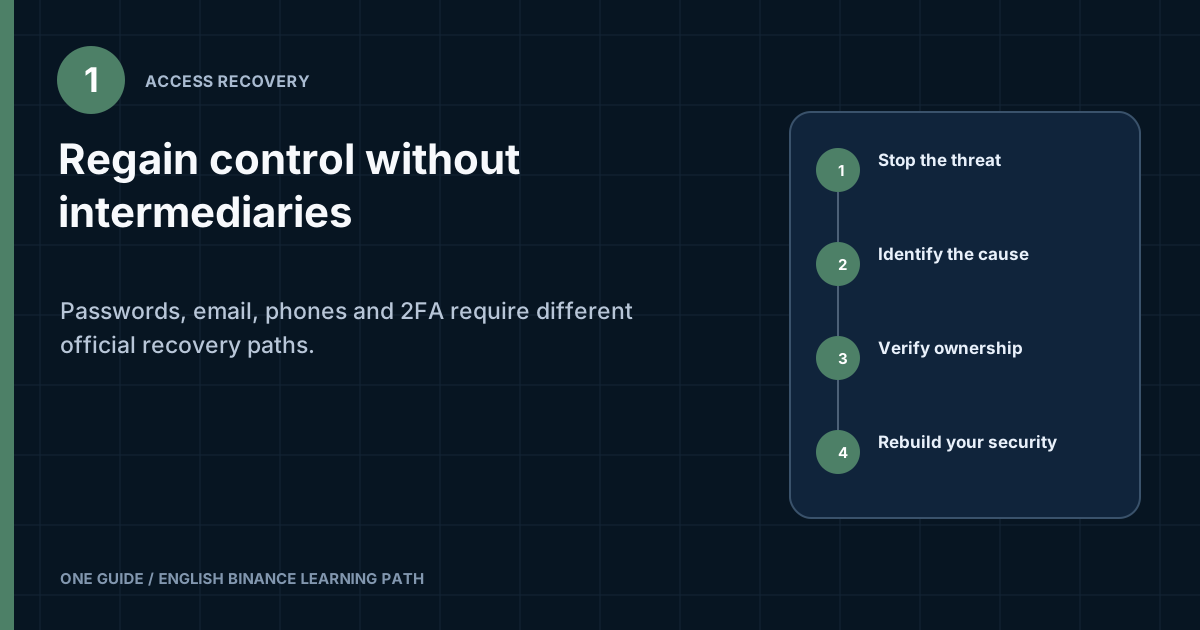
Open the official website or app yourself and determine exactly what was lost: the password, email, phone, 2FA app, passkey, or all control of the account. If there are signs of compromise, first secure the email account, SIM card, and device; do not log in from an infected computer; and use an available official account restriction method or contact support. For an ordinary forgotten password, use the standard reset. For an unavailable factor, select the verification-problem option on the screen and complete ownership verification. Never disclose a password, current codes, backup key, seed phrase, or private keys. After regaining access, change credentials, end unknown sessions, and review every security setting again. [1] [2]
A request to send funds to a “verification,” “safe,” or “synchronization” address is a sign of fraud. The official process may request identity verification, but should not require a password, current 2FA code, seed phrase, or remote control of your device.
What should you do before attempting to log in if you suspect an account takeover?
First secure the external points an attacker could use to reset access again. If the email account, phone number, or device remains under someone else's control, changing the Binance password may provide only a brief respite.
- Move to a clean deviceDo not enter new passwords on a computer or phone with an unknown app, extension, remote-access session, or signs of malware. Install updates and check the system using its built-in tools.
- Secure the email accountChange its password to a unique one, end unknown sessions, review forwarding and deletion rules and backup contacts, and confirm that 2FA is enabled. Remove unknown app passwords.
- Check the SIM cardIf service suddenly disappears, contact the carrier through a verified number and ask whether a duplicate SIM was issued or the number was transferred. Set an available PIN or remote-replacement block according to the carrier's rules.
- Open Binance manuallyUse a previously verified bookmark or type the official domain. Do not follow a link from an email about an urgent restriction or click an ad promising support.
- Restrict the account through an official methodIf a restriction or disable feature is available in the app, security email, or support center, follow the current prompts. Record exactly what was done and when.
- Preserve evidenceDo not delete notifications, login history, addresses, TXIDs, or the times of suspicious events. Export or capture them without exposing access secrets in a public file.
If you simply forgot the password and there is no sign of unauthorized access, an emergency restriction may be unnecessary. But if there is an unknown notification, a changed contact, a missing SIM, or a transaction you did not make, act as if the account is compromised until you find the cause.
How do you choose the correct recovery route?
Start with the narrowest fact: which login step you can actually complete. Do not combine every symptom under “account restricted.” An incorrect password and a rejected authenticator code require different forms.
| Situation | First official route | What not to do |
|---|---|---|
| Password forgotten, with email and 2FA available | Standard password reset on the login page | Do not create a second account or pay an intermediary |
| Email is unavailable, but other factors remain | The unavailable-email option or a support request | Do not change details through a link in someone else's message |
| Old phone number lost | Reset or replacement of phone verification with ownership confirmation | Do not use a temporary SIM to bypass the process |
| Authenticator deleted | The authenticator-problem option or a 2FA reset | Do not remove the remaining working factors |
| Phone containing a passkey is lost | Another linked method or an official passkey reset | Do not treat a screen lock as sufficient protection |
| Account disabled or restricted | The current unlock form or support | Do not guess the cause or bypass the restriction with a new profile |
| Contacts changed by someone else | Compromised-account route and urgent support | Do not continue arguing with the scammer or transfer funds |
The interface, button names, and available forms of evidence depend on the region, device, and profile state. Choose the option by meaning, such as “I can't receive the code” or “this method is unavailable,” instead of looking for the exact old label from an article.
What should you do if the account is still open on one device?
An active session gives you an opportunity to gather information and strengthen security, but it does not prove that you control every factor. Do not sign out of the last trusted device merely to test the password until you have confirmed that email, phone, and 2FA really work. First assess the account state from inside it.
- Check contactsCompare the partially hidden email and phone number with your own. Do not try to save or record someone else's full details if they have already been changed.
- Open the device listRecord unknown sessions, their times, and the available details. Then end them using the standard button if you are sure the current session will remain active.
- Check confirmation methodsReview which passkeys, 2FA apps, and security keys are linked. Do not remove the only factor you control before adding and testing a new one.
- Review sensitive settingsCheck API keys, the address book, withdrawal allowlist, and anti-phishing code. Preserve evidence of unknown changes first.
- Open support from the sessionIf a contact has changed or there is an unknown transaction, report it before signing out voluntarily. Save the request number outside the account.
Do not use the open session for a panicked withdrawal to an address sent by a “consultant.” First make sure the address belongs to you, the network is compatible, and the device is clean. If there are signs of takeover, officially restricting the account and recording the history may take priority over creating a new asset transaction.
What evidence should you preserve from an open session?
Compile a minimal log: time of your last login, unknown devices, security changes, history of suspicious trades and withdrawals, TXIDs, addresses, and the status of each event. In screenshots, conceal the balance, full contact details, and identifiers that support does not need. Store the original files separately from public copies.
If there is a risk of legal or insurance proceedings, do not crop the only copy of the evidence. Keep the original in secure storage and make a separate copy containing only the necessary data for submission. Do not alter the metadata or label an assumption as an established fact.
Also record the device time zone and display currency. These details help match events unambiguously when a notification, the account history, and the carrier record show different local times.
Before changing a password or factors, make sure you know the official path for logging in again and have access to at least one confirmed channel. If contacts have already been replaced by someone else, involve official support first.
How do you reset a forgotten password?
Use the recovery form on the official login page and a contact method already linked to the account. Enter the address manually, verify that the page belongs to Binance, and follow the displayed confirmation steps.
- Start the reset from the official app or a website you opened independently.
- Verify the partially hidden email or phone number before sending a code.
- Use only the newest code in the current process.
- Create a unique password that is not used for email, social media, or other exchanges.
- Read the warning about temporary restrictions after a security change. Use the duration shown on the screen.
A password manager helps store a long, unique value, but the master password and access to the vault itself must also be protected. Do not save the new password in an unlocked note or send it to yourself in a messenger app.
The reset email does not arrive
First check the masked address, folders, filters, and inbox security using the separate guide to codes. If the address no longer belongs to you, do not create dozens of repeat requests; move to the lost-email route.
What should you do if you cannot access the linked email account?
First try to recover the inbox itself through the email provider's official process. Email often remains the main notification and recovery channel, so a new Binance address will not solve the problem if an attacker still controls the old inbox.
If the inbox cannot be recovered, choose the unavailable-email option on the Binance screen or open support from the official domain. Prepare a new protected address that belongs only to you. Do not use a work or school email that you will lose after leaving the employer or graduating.
- Do not disclose the full contents of the old inbox to someone on social media.
- Do not forward a code from the new address to a “linking agent.”
- Do not accept an address created by an intermediary, even if they promise to provide the password later.
- Make sure the new email account has a unique password, its own 2FA, and current backup methods.
If Binance notifications unexpectedly start being forwarded or disappear, review rules, delegated access, and app passwords in the email settings. Deleting one suspicious email does not remove the source of the compromise.
How do you recover access without the old phone or number?
Distinguish the loss of a device from the loss of the phone number itself. If the phone is broken or stolen but the number is registered to you, the carrier may offer a legitimate replacement SIM after identity verification. If the number already belongs to someone else or was transferred without consent, report a possible takeover to the carrier.
On the official Binance screen, select the unavailable-SMS-factor option if it is shown and complete ownership verification. Replacing the number may involve an additional review and a temporary restriction on sensitive transactions. Do not rely on an exact period from someone else's article; read the message in your own account.
Phone lost, but the Binance app was open
Use the remote lock or erase features that you configured beforehand with the device manufacturer. Then change the email and important-account passwords from a clean device. A screen lock reduces risk, but does not prove that session tokens and notifications are inaccessible to someone else.
After regaining access, review the Binance device list and end the lost phone's session. Do not restore the entire phone from an unverified backup before analyzing the source of the incident.
What should you do if you lose your authenticator app?
Do not delete the remaining entries or create a new Binance entry from a random QR code. First check whether you have a legitimate backup, saved setup key, second confirmed factor, or synchronized app storage.
If there is no working code, select the authenticator-problem option on the official screen. Binance may request additional identity verification. Complete it yourself. No one should ask you to show the old secret key or share your screen in a remote-access session.
| What remains available | What this provides | Next step |
|---|---|---|
| Old device and working code | Ability to confirm the change | Change 2FA in the security settings by following the current process |
| Correct backup key | Ability to restore the same TOTP setup | Import it only into a trusted app on a clean device |
| Another working factor | Ability to complete some of the checks | Select the unavailable-authenticator option on the official screen |
| None of the above | Ownership verification is required | Start the official 2FA reset or contact support |
If a code is visible but not accepted, first check the automatic date, time, time zone, and correct account entry. This is a synchronization problem and does not necessarily mean access has been lost. Do not reset 2FA before checking these items.
What should you do if the account is disabled or transactions are restricted?
Read the exact status and distinguish inability to log in from a restriction on a specific feature. A temporary withdrawal suspension after security settings are changed, a risk review, and a disabled account are different states. If login has been restored but it is specifically the withdrawal request that cannot be created or remains pending, troubleshoot it using the separate troubleshooting guide for withdrawals that are not working.
- Record the full message text and the time it appeared.
- Check notifications inside the official account and the security history.
- Follow the unlock form if it is available on the current screen.
- Do not assert a specific cause to support or yourself without evidence.
- Do not create a new account to bypass the status or change your region through a VPN.
The platform may request repeat identity verification or information about activity. Provide truthful data through the secure process and only to the extent requested officially. If the situation involves a legal dispute, sanctions restrictions, or a substantial amount, consider independent professional advice in your jurisdiction.
What should you do if the account has already been taken over?
Treat all previous secrets as untrusted and restrict repeat-login channels at the same time. If an attacker changed the email, phone number, or 2FA, an ordinary password reset may be unavailable. Start the official compromised-account route and open a request from the support center.
- Do not negotiateDo not pay for recovery or confirm transactions at the request of someone who claims to control the account.
- Report the facts to supportProvide the previous contact, time of the last legitimate login, changes noticed, and unknown transactions. Do not send current secrets.
- Check connected systemsSecure the email account, SIM, cloud storage, password manager, and device. Look for unknown rules, apps, and active sessions.
- Save technical dataRecord addresses, TXIDs, assets, amounts, times, and screenshots of the history. Do not edit the original evidence.
- Notify connected servicesIf a withdrawal went to another platform or involved a bank, use those organizations' official channels and provide the transaction identifiers.
Do not remove the app or format the device before preserving necessary evidence if this can be done safely. If the value of the loss is high, help from an incident-response specialist or law enforcement may be needed. Such help does not guarantee asset recovery, but proper evidence preservation improves the quality of the investigation.
What information may be needed to confirm ownership?
The official process determines the exact set, so do not collect and send a complete archive in advance. The platform may compare identity, account history, and available security factors. Answer consistently and truthfully.
| Category | Examples of safe preparation | How to avoid disclosing |
|---|---|---|
| Identification | An original valid identity document if requested by the secure form | Do not post it in a community chat or send it to a personal account |
| Access history | Previous email, phone number, and approximate time of the last login | Do not disclose passwords or one-time codes |
| Transactions | Known TXID, asset, network, date, and amount from your own records | Do not send a wallet seed phrase or private key |
| Support request | Case number, exact status, and responses inside the official channel | Do not move the conversation to an “agent” on Telegram |
It is better to label an inexact detail as approximate than replace it with a guess. If you do not remember the registration date or the amount of an old transaction, say so. Inconsistent invented answers can make verification more difficult.
An identity document, selfie, and biometric check are sensitive data. Submit them only when the official process clearly explains the purpose and opens a secure upload. Binance's privacy notice describes the processing of personal data, but users' local rights depend on applicable law.
How do you manage a support request without losing context?
One structured request is more useful than several parallel chats containing different versions of events. Save the case number, creation date, channel, brief timeline, and list of materials already submitted. Reply within the official thread if the notification's authenticity has been confirmed.
- Begin with one sentence: which factor was lost and whether there are signs of compromise.
- Add a timeline with the time zone, keeping facts separate from assumptions.
- Provide the exact error text and current status.
- List the measures already completed: securing email, contacting the carrier, and ending sessions.
- Ask a specific question about the next official step.
If a response is delayed, do not post the case number together with your email and identity document on social media. Check the status through the official center and follow the displayed escalation procedure. The first person to message you after a public complaint does not become a Binance employee because their profile has a logo.
Support needs verifiable context, not full access to the account. Prepare dates of known logins, the type of lost factor, the model of your own device, the official request number, and safe details about recent actions. Submit only what the secure form requests and do not post the set in a public forum. A password, one-time code, authenticator backup key, private key, and seed phrase are not evidence for a chat agent. Disclosing them creates a new incident. If the person explains the request as “expedited verification,” end the contact and reopen support from the website or app.
Crop an error screenshot so that the status and time remain visible but the identity document, full email, balance, and QR codes do not. Keep the original locally until the request is resolved. Do not edit details in a way that changes the meaning of the error; if necessary, describe hidden fields in text without secrets.
Keep one timeline: when access was lost, which factors remain, which actions have already been taken, and what response was received. Create a new ticket only when support tells you to or after the old one is closed. Several parallel stories make verification harder and help a scammer pose as someone involved in a genuine request.
What should you check immediately after recovery?
Regaining login completes only the first part of the incident response. Now remove old access paths, review transactions, and create independent security factors.
- Change the passwordCreate a unique value on a clean device. Do not restore the password used before the incident.
- End unknown sessionsReview the device list and remove any device you cannot confidently link to your own logins.
- Relink 2FARemove the untrusted factor through an official method, add your own, and store the backup key in a secure offline location.
- Check passkeys and security keysRemove unknown entries and make sure trusted devices are protected.
- Check API accessRemove unknown or no-longer-needed API keys. Review permissions and network restrictions for active keys.
- Check the withdrawal address bookLook for unknown addresses, allowlist changes, and other withdrawal settings.
- Enable an anti-phishing codeIt helps distinguish official Binance emails, but does not replace checking the domain and content.
- Review the historyCompare logins, trades, conversions, P2P transactions, deposits, and withdrawals with your own actions.
Do not rush to transfer the entire balance. Read the current restrictions after the security change, make sure the contacts belong to you, and complete the investigation. If there is an unknown API key or address, preserve the evidence first and notify support.
How do you build a backup plan for the future?
Record offline which factors are linked, where the backup key is stored, how to open the official support center, and how to contact the mobile carrier. Do not record a password and key together. The plan should help with recovery without giving every secret to someone who finds one sheet or file.
What should you do if funds are missing after an account takeover?
Prompt recording and reporting matter, but recovery is not guaranteed. A blockchain transfer usually cannot be canceled with a button after confirmation. Support can investigate events within the platform, while the receiving service or law enforcement authorities may request technical data.
- Save the TXID, network, sender and recipient addresses, asset, amount, and time.
- Open an urgent request with official Binance support and state that the transaction is unknown.
- If the address belongs to another known platform, notify its official compliance or support service without claiming to own someone else's account.
- If a bank payment is involved, notify the bank or payment provider through its official channel.
- Consider making a report to the competent law enforcement authorities in your jurisdiction, especially if a substantial amount or identity theft is involved.
Do not pay someone who promises to “reverse the blockchain,” hack the recipient's address, or guarantee recovery in advance for a percentage. Public addresses and TXIDs help trace movement, but do not grant authority over funds or prove the identity of whoever controls an address.
How do you spot a fake recovery service?
Scammers target people at the very moment they are under stress and promise impossible speed. They copy the logo, call themselves a case manager, and may know a publicly available TXID. These signs do not prove authority.
| Promise | Why it is dangerous | Safe alternative |
|---|---|---|
| “We will restore access for a fixed fee” | A transfer is required before official verification | Open the standard recovery process and support |
| “Dictate the code for synchronization” | The code confirms the attacker's action | Enter a code only on a verified screen |
| “Install this program and I will configure everything” | Remote access exposes the screen and secrets | Perform the steps yourself on a clean device |
| “Send the funds to a safe wallet” | A transfer irreversibly gives the assets to the recipient | Restrict the account through an official method |
| “We need the seed phrase for verification” | A seed phrase gives control over a self-custody wallet | Never disclose it to support or a website |
Check a contact through Binance Verify, but open the tool itself from the official domain. No result or a similar name in the results is not a reason to continue the conversation. Perform every account action in the official interface.
Frequently asked questions
Can you recover Binance using only a UID?
A UID identifies an account, but does not by itself prove ownership. The official process may compare identity, contact details, history, and security factors. Do not publish a UID together with other personal data unnecessarily.
Will support ask for an old password?
Do not give a current or previous password to an employee in a chat. A form may ask you to create a new password within a secure process, but a person should not ask you to dictate it.
How long does access recovery take?
There is no single time frame for every case. A forgotten password, 2FA reset, manual ownership review, and investigation of a compromise differ in complexity. Follow the status and time frames shown in your official request.
Can you use an old identity document?
Use a document that the current form permits and requests. An expired or canceled document may not be accepted. If the details have changed, do not conceal the discrepancy; ask what proof is acceptable.
Should you disclose a wallet seed phrase?
No. A seed phrase and private key are not needed to confirm ownership of a Binance account and give full control over the corresponding self-custody wallet. Do not enter them into support or a “verification” form.
What should you do if email, phone, and 2FA have all been lost?
Start the official ownership-verification route and state that every linked factor is unavailable. Prepare truthful information and the original identity document if the secure form requests it. Do not create a new profile to bypass the process.
Can you trust someone in the comments who knows my request number?
No. The number may have become public through your post or screenshot. Continue only inside the official support center and do not move the conversation to a private messenger app.
Official sources to check
Sources checked on August 8, 2026. Use the current official screen for the actual recovery methods and restriction periods.