Short answer
How can you conduct a Binance P2P transaction more safely?
Open P2P yourself through the official website or app, check product availability and the rules for your market, and choose an ad based on the full set of terms rather than price alone. Communicate and exchange evidence inside the order. The buyer transfers funds only to the details in the current order and marks payment after actually sending it. The seller releases the crypto asset only after verifying an available credit in their own banking or payment app. If something does not match, do not remove the protection based on a promise in chat; use the appeal process. [1] [2]
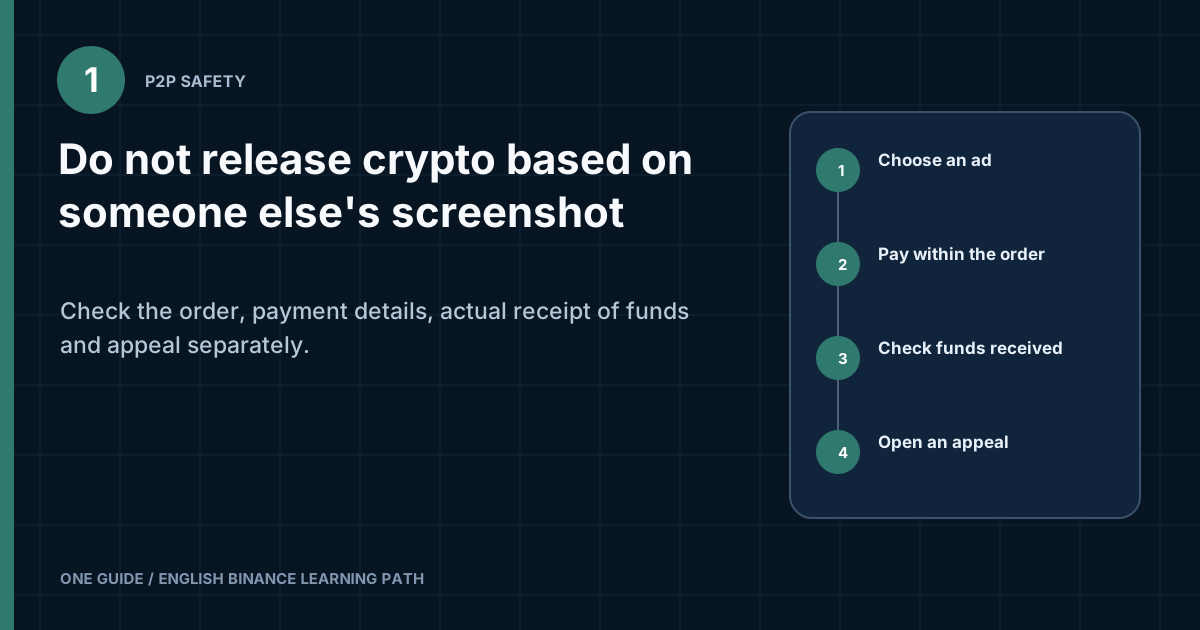
The seller must log into the banking or payment app independently and check the status, amount, sender, and available balance. A receipt image can be altered, a notification can be forged, and a pending transaction may never become a final credit.
What exactly does P2P escrow protect?
While an order is active, the platform holds the crypto asset intended for the transaction until the process is complete. This reduces the risk that the seller can freely move the same asset after the order is created. The fiat payment, however, passes through a bank or another external payment method. The platform does not turn an SMS about a transfer into confirmed funds. [1] [2]
Participants are responsible for different control points. The buyer verifies the payment details, sends the exact amount through a permitted method, and saves confirmation. The seller checks receipt in their payment-provider account and only then authorizes release of the crypto asset. If the facts differ, both parties record evidence in the order chat and involve support through an appeal.
| Element | Where it appears | Who checks it |
|---|---|---|
| The order's crypto asset | In the P2P escrow mechanism | The platform and participants, based on order status |
| Fiat transfer | At the bank or payment provider | Sender and recipient in their own accounts |
| Payment details | In the current P2P order | Both parties before payment |
| Correspondence | In the order chat | Participants and support during a dispute |
| Dispute decision | During the appeal process | Official support reviews the evidence |
Escrow does not eliminate the risk of payment reversal, use of someone else's account, social engineering, or violation of a payment provider's rules. Do not describe P2P as a completely safe exchange. It is a process involving several independent systems and mandatory checks.
Can you use Binance P2P in any country?
No. Availability, currencies, payment methods, and requirements depend on the jurisdiction and account. Before looking for an ad, check whether P2P appears in the official interface for your region and whether you are permitted to use the selected payment method. Do not change your country, documents, VPN, or account to bypass a restriction.
The payment-account owner's name, identity-verification status, ad limits, and local rules may affect whether a transaction is possible. This guide does not determine your legal capacity or replace the bank's terms. If the interface does not offer the required market or method, stop and clarify the rules with official support.
How do you choose an ad based on more than price?
First select the direction, fiat currency, asset, amount, and payment method. After filtering, compare the entire ad card. An extreme price may come with an unsuitable limit, unfamiliar payment method, or terms you cannot meet.
- Price: calculate the final figure for the required amount, but do not treat it as the only indicator.
- Available amount and limits: your amount must fall within the ad's range.
- Payment method: use only your own accessible account and a channel you understand.
- Time frame: make sure you can complete the actions without rushing before the timer expires.
- Counterparty's terms: read them before opening an order and compare them with the platform's rules.
- History: the number of orders, completion rate, and status help assess experience but do not eliminate risk.
Do not continue if the terms require someone else's account, a transfer outside the order, concealment of the transaction's purpose from the bank, remote access, or an advance payment for unlocking. Do not negotiate an additional amount in a messenger app. The created order must contain the transaction's actual terms.
What do the P2P order stages and timer mean?
A status reports which action is claimed within the platform, but does not confirm an external banking fact. A created order reserves the terms for the displayed time. The buyer's paid mark reports that they claim to have transferred the funds. It does not prove receipt to the seller. A completed order means the asset was released through the platform process, but does not promise that there will be no future dispute with the payment provider.
Labels and sequences may differ by market and interface version. Read the text on the current screen before pressing the button. Do not rely on someone else's video recording, where the timer, status name, and permitted actions may have been different.
| Situation | What is known | What else to check |
|---|---|---|
| Order created | Terms and payment details appeared | Whether the amount, method, and counterparty are correct |
| Buyer marked the order as paid | Buyer claimed to have sent payment | Whether the seller has received final credit |
| The timer is close to zero | Completes a stage of the process | The action permitted by the current interface |
| Appeal opened | Disagreement recorded | Which evidence support requested |
| Order completed | Asset released under the order | Whether the balances and payment record match |
Do not click cancel or confirm merely to clear the timer. The button changes the transaction state. First read the warning, then compare it with the actual payment. If the funds have already been sent but the interface offers cancellation, save the details and request a resolution inside the order.
Buyer's step-by-step process
- Check the active orderCheck the asset, fiat amount, timer, payment method, and counterparty name. Do not use details from an old transaction or a photo of the screen.
- Open the payment details in the orderCopy the account number and name from the current card. If the counterparty sends different details in chat, do not pay until the discrepancy is resolved through an official method.
- Verify the account ownerPay from your own permitted payment account. Do not ask a relative or intermediary to send the money, and do not accept instructions to split the transfer without a clear reason in the order.
- Send the exact amountCheck the currency, payment-provider fee, and final amount before confirmation. If the bank charges an expense on top of the amount, make sure the recipient will receive exactly the stated value.
- Mark the order as paid after the transferFirst obtain the actual sending status from the provider, then press the confirmation in the order. Marking it early creates a false dispute.
- Wait for release within the orderDo not agree to cancel a paid order based on a promise to return the asset later. If the seller cannot see the payment, prepare evidence for an appeal.
- Check receipt of the assetAfter completion, open the P2P or Funding balance in the current interface and make sure the transaction appears where expected.
Fill in the payment description only in accordance with the bank's rules, the platform's rules, and the order itself. Do not use code words or false descriptions suggested by a stranger to bypass controls. If the bank rejects the transaction, do not disguise its nature; stop and find out the reason through the bank's official channel.
What should you do if payment details change after opening the order?
Do not transfer funds automatically. Compare the details in the order card with those shown when it was created, and save a screenshot of the discrepancy. If a new account appeared only in a message, ask for the issue to be resolved within the official process. A transfer to different details may break the evidentiary link to the order.
What should you do if a transfer is delayed?
Do not create a second payment without confirming the status of the first. Open the bank history, find the identifier, and determine whether the transaction is declined, pending, or completed. Report the actual status in the order chat. Sending twice makes it harder to recover and match the amounts.
Seller's step-by-step process
- Check the amount and methodBefore an order, make sure the payment account is active, belongs to you, and can receive the stated currency.
- Do not change payment details in a third-party chatIf details are outdated, correct the payment method through the standard process. Do not request a transfer to a random card after an order has been created.
- Wait for the buyer's confirmationIt reports the claimed sending of funds but does not yet confirm receipt. Do not release the asset solely because of a timer or pressure.
- Log in to the payment app yourselfDo not follow a link from a message. Check the transaction list, available balance, amount, currency, sender name, and final status.
- Investigate every discrepancyAn unfamiliar name, partial amount, pending payment, or request to return an excess requires a pause and a record inside the order.
- Confirm the release onceBefore pressing the button, compare the order number and payment again. Do not disclose to the buyer the 2FA code that confirms your release.
- Save the recordAfter completion, save the order identifier and bank transaction in your records, observing personal-data requirements.
What should you do when several similar amounts arrive?
Do not match a payment approximately by time. Compare the exact amount, currency, name, identifier, and current-order details. If one sender created several orders, keep a separate record for each. If the match cannot be made unambiguously, stop the release and request a review.
How do you assess a payment method before a transaction?
The payment method must be available to you under the provider's rules, belong to you, and allow you to verify when a transaction is final. An unfamiliar wallet or bank with a slightly better rate adds operational risk. First study its statuses, time frames, fees, limits, and dispute procedure on the provider's official website.
- whether the required currency can be sent or received without conversion;
- what amount will actually arrive after the external fee;
- how pending and completed transactions are displayed;
- whether the provider can hold the payment for an additional review;
- which recipient details are disclosed to the other party;
- how quickly an official support channel is available in case of an error.
Do not give the counterparty your bank login details or show the full transaction list. A limited excerpt containing the relevant fields is usually enough to confirm a specific payment if the official appeal requests it. A complete bank statement contains unnecessary information about you and third parties.
Is cash payment or an in-person meeting suitable?
Use only options that are explicitly available and described in your official P2P interface and permitted by local rules. This guide does not confirm that an in-person meeting is safe. Do not accept an unlisted method suggested in chat or expose yourself to physical risk.
How do you verify that payment was actually received?
The authoritative record is the entry inside the recipient's own verified account. A push notification, email, SMS, screenshot, screen recording, or employee call does not replace logging into the bank. Even a familiar receipt design does not confirm that the money is available or that the transaction belongs to the correct order.
| Check | Normal result | Reason to stop |
|---|---|---|
| Amount and currency | Match the order | Underpayment, different currency, or unexplained excess |
| Status | Funds credited and available | Pending, processing, hold, or a similar waiting status |
| Sender | Matches the details and rules | Third party or mismatched name |
| Transaction number | Unique record at the provider | Only an image, with no record in the account |
| Order | The amount belongs to the current transaction | Several similar payments without a clear match |
Whether a payment can be canceled or reversed depends on the payment method and local rules. If you do not understand when receipt is final, do not guess. Contact the payment provider using contact details from its official app or website, and do not close the dispute until you receive a verifiable answer.
Can a payment be reversed after the asset is released?
It depends on the payment method, basis of the transaction, and provider's rules. A visible line in the history does not always indicate the same degree of finality. A bank transfer, card transaction, and internal e-wallet transfer may have different statuses, review periods, and dispute procedures.
Before using a method for the first time, read the official description of its statuses. Distinguish a notification of an incoming transaction, an available balance, and final receipt. If the provider permits a reversal or dispute, find out which documents prove a good-faith transaction and how quickly a problem must be reported.
Which signs require extra caution?
- the payer does not match the order participant;
- the bank shows a temporary or conditional credit;
- the counterparty asks for the funds to be sent immediately to a third account;
- another person appears after payment and claims there was a mistake;
- the buyer proposes a new refund outside the original method;
- the provider requests documents or restricts access to the amount.
Do not try to neutralize the risk yourself with a counter-transfer to an unknown recipient. This can create two independent transactions instead of one disputed transaction. Save the original payment, P2P order, and correspondence, then request instructions from the platform's official support and the payment provider.
For regular activity, keep a log of payment methods: which statuses appear, where the identifier is found, how to obtain a statement, and whom to contact. This log does not replace checking every transaction, but it reduces the chance that an unfamiliar label will be mistaken for final receipt.
When changing banks or payment apps, do not carry old habits over automatically. Review the interface without a P2P order: find the history, status explanation, official chat, and transaction export. If the service does not let you reliably distinguish available funds from pending funds, choose another offered method or decline the transaction. The ad price does not compensate for an inability to verify payment. Find the official support entry point in advance so you do not have to search for it under timer pressure; save the case reference only after a case has actually been opened.
Which scams most often target P2P users?
Fake receipt or notification
An attacker sends an image of a successful transfer, fake SMS, or fake email and demands immediate release. There is one defense: check receipt in your own account, not the quality of the image. A timer and threat of a complaint do not change the banking facts.
Payment from a different name
The funds come from a person who does not match the order participant. This may be an error, an intermediary, or part of a triangular scheme in which a third party was misled. Do not release the asset automatically or return the funds to new details sent in the chat. Record the discrepancy and use the appeal process.
Moving to a messenger app
The counterparty suggests Telegram, WhatsApp, or another channel for convenience, a better rate, or faster processing. It is easier there to impersonate a profile, delete messages, and strip a dispute of context. Keep material correspondence and files in the order chat.
Request to cancel the order after payment
The buyer is persuaded to cancel a paid order with a promise of manual release or a refund. Cancellation may change the order's protected status. If funds have already been sent, do not follow such a request unless official support instructs you within an active appeal.
Overpayment and refund to another account
After payment, someone claims they accidentally overpaid and asks for a quick return of the difference to new details. The refund may send your money to another recipient while the original transaction is disputed. Check the payer, amount, and rules with the bank and support.
Fake support
A profile with a logo claims that unlocking requires you to disclose a code, share your screen, install remote-access software, or transfer an asset to a safe address. Do not follow these demands. An official dispute is opened from the current order or through a support center you opened yourself.
Additional transaction outside escrow
After a small successful order, the counterparty proposes a larger exchange directly. The previous transaction does not make a future transfer safe. Outside the order, there is no equivalent status, correspondence, or appeal process.
When and how should you open an appeal?
An appeal is needed when the transaction facts do not match and the participants cannot complete the order safely. The cause may be a missing claimed payment, incorrect amount, third-party sender, new payment details, a paid but unreleased order, pressure to cancel, or a demand to break the rules. [1] [3]
- Do not delete the chat or move to another channel.
- Record the order number, time, amount, payment method, and exact discrepancy.
- Take a screenshot of the payment-provider record, concealing unrelated transactions and secret data.
- Upload evidence through the appeal form and describe observable facts without speculation.
- Respond to official support requests within the same process.
- Do not close an appeal because of a promise in a private message.
Do not edit evidence in a way that changes its meaning, and do not create fake receipts. Cropping to conceal unrelated personal data is acceptable if the required amount, time, status, and identifier remain visible. If the form requests a different set, follow the current instructions in the official interface.
How do you prepare evidence without leaking unnecessary data?
Assemble a continuous chain from the order to the payment. First save the order page with its identifier, participants, amount, method, and time. Then separately record the entry at the payment provider. Screenshots should allow the facts to be matched without having to disclose the entire balance and other people's transactions. [1] [3]
| Material | What to leave visible | What to conceal if it is not required |
|---|---|---|
| P2P order card | ID, amount, status, time, and method | Adjacent orders and full profile |
| Payment record | Amount, currency, status, time, and number | Total balance and other transactions |
| Chat | Message sequence and time | Notifications from other apps |
| Error | Full text and screen context | One-time codes and secret fields |
Do not post the dispute on social media together with documents. Submit materials only through the active appeal form or an official secure channel you opened independently. Keep original files separately from cropped copies so you can establish the context if requested.
If support requests a video recording, follow the current instructions in the form and first conceal notifications, passwords, QR codes, and other people's transactions. Do not let the counterparty dictate what the recording should contain. The counterparty is not the dispute arbitrator.
How to assemble the minimum evidence package for an appeal
First save the order identifier, time, amount, selected payment method, and messages within the transaction. Then add proof of the actual movement of funds from your own banking or payment app. A notification, SMS, and screenshot from the other person do not replace an entry in your available balance.
Evidence should answer one specific question: whether the payment was sent, received, returned, or held. Do not upload the entire account history if one transaction with clear details is enough. Conceal unrelated transactions and balances, but do not hide fields that connect the payment to the order.
Do not move the dispute to a private messenger app to send a file. Use the order channel and official appeal form. If the platform requests an additional document, check the purpose of the field and submit it there. An employee should not ask for a password, login code, seed phrase, or remote control of the device.
After sending payment, do not cancel an appeal because the counterparty promises to “pay immediately.” A new message is not the same as a credit. Check the balance yourself and wait for the status inside the order. If pressure, threats, or an offer to compensate for the transaction outside the platform appears, add it to the timeline and end external communication.
What should you check after completion?
A completed order status does not replace your own records. The buyer checks actual receipt of the crypto asset and the correct internal wallet. The seller preserves the link between the bank record and order identifier. Both parties complete only the order they verified.
- do not publish a receipt containing a full name, account number, phone number, or QR code;
- do not treat a later request for a direct exchange as part of the completed transaction;
- review account security notifications if a contact is unusual;
- report a suspicious user through the available official mechanism;
- if necessary, retain documents in accordance with local requirements.
What should you do if funds or an asset have already been sent to a scammer?
First stop any further transfers and preserve evidence. Open the official P2P order and appeal if they are still available. At the same time, contact the bank or payment provider through a verified contact, provide the transaction identifier, and ask which actions are permitted. Do not pay an intermediary for a promise of recovery.
If you disclosed a password or 2FA code or granted remote access, respond as if the account is compromised: end unauthorized sessions, change unique passwords from a clean device, check email and withdrawal settings, and then contact support. If there are signs of a crime, use the applicable official law-enforcement channel. Recovery of funds cannot be promised in advance.
What should you do if the bank restricts the account after a P2P payment?
Do not create new transfers for testing or ask a stranger to prepare an explanation. Save the order, bank record, and correspondence. Contact the bank through its official channel, find out why the restriction was imposed, and provide only requested, truthful information. At the same time, document the situation with Binance support if it concerns a participant or order.
There is no universal phrase that automatically removes a restriction. Requirements depend on the provider and the law. A false payment description or forged document can make matters worse. For a substantial amount or legal request, consider consulting a qualified professional in your jurisdiction.
A separate plan for suspicious links and messages is provided in the guide on checking for phishing and fake support. To protect the account itself, use Binance security checklist.
Frequently asked questions
Can you trust a merchant with a large number of trades?
History and status provide context, but do not replace checking the specific payment. An account may be mistaken or compromised, and the ad terms may not suit you.
Should you release the asset if the bank sent an SMS?
No. Open the official bank account yourself and make sure the amount is actually available, the status is final, and the sender matches the terms. A message alone is not enough.
The buyer paid with a relative's card. Can the order be completed?
A name mismatch requires you to stop and check the platform's and payment method's current rules. Do not release the asset or make a refund to new details at a request in chat. Use the appeal process.
The counterparty asks me to use a specific payment description. What should I do?
Follow only the lawful requirements of the bank, platform, and order. Do not enter false wording to conceal the transaction or bypass controls. If in doubt, do not send the payment.
Can you continue a transaction after the timer expires?
Follow the actual status of the current order. Do not transfer funds using the details of a closed order or promise a manual release. If payment has already been sent, record this through the official dispute process.
Who pays the bank fee?
It depends on the payment method, ad, and provider. Before transferring, check the final amount the other party will receive and do not assume that an external fee is automatically included in the P2P amount.
Support messaged me first in a messenger app. Is that proof?
No. An avatar and name can be copied. Open the active order or support center yourself, check the contact through Binance Verify, and do not disclose secrets.
Official sources to check
Sources checked on August 8, 2026. Check product availability, payment methods, and exact rules for your own market and active order.