Short answer
Which network should you choose for a Binance deposit?
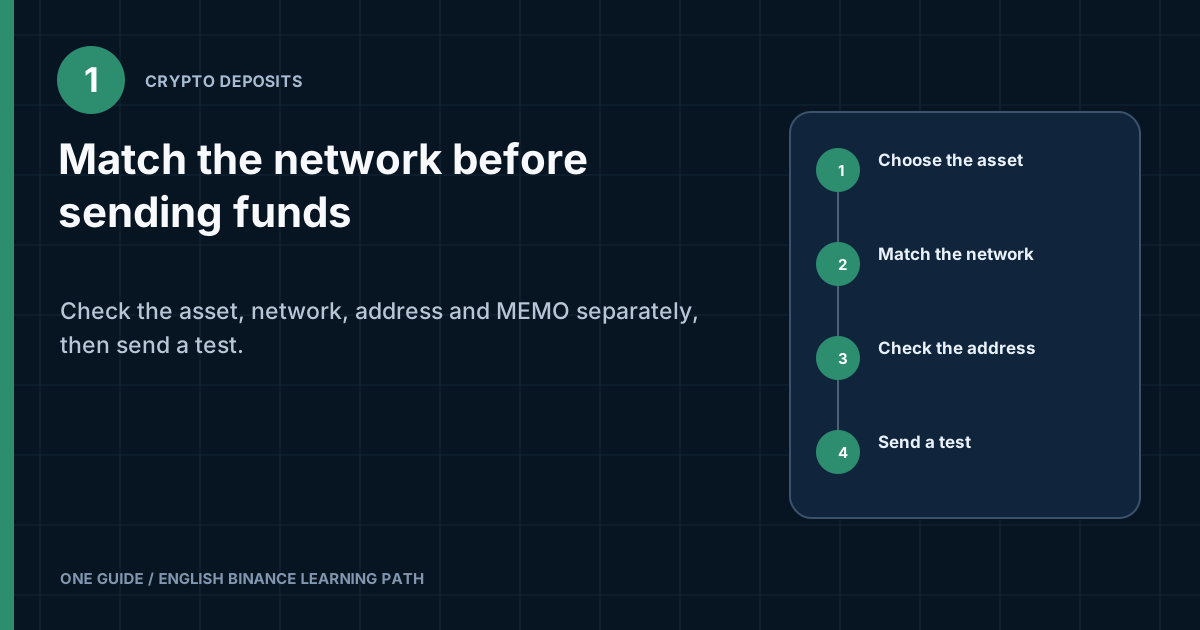
First, open the deposit form for the required asset on Binance and record the networks the platform offers you. Then open withdrawal on the sending side and find an exact match. You may choose only a network present on both sides. After selecting it, copy the address and MEMO or Tag again, check the minimum amount and fee, and for a first transfer send a small test amount above the current minimum. [1] [2]
If the sender supports network A while the Binance deposit address was created for network B, the cheaper network A does not become correct. An incorrect transfer may be irreversible, and recovery is not guaranteed.
What happens between pressing Send and the deposit being credited?
A cryptocurrency deposit has two separate stages: the blockchain confirms the transaction, then Binance recognizes it and credits the asset. At the first stage, the wallet or another platform broadcasts the transaction to the selected network. At the second, Binance waits for the required network state and performs internal processing.
A 'successful' status at the sender usually means the withdrawal was created or sent to the network. It does not necessarily mean the recipient has already credited the funds. Conversely, an absent balance immediately after a TXID appears does not prove a loss. Check the transaction status, confirmation count, and deposit-form details separately.
The same cryptocurrency may move over several networks. For example, a token may exist as a separate asset on several blockchains or as a wrapped version. The ticker on screen may match while the blockchain and address differ. The statement 'I am sending USDT' is therefore incomplete without answering 'over which network.'
Who charges the fee?
The sending side and the selected network's conditions determine the final amount. When withdrawing from another platform, it may show its own fixed or changing fee. When sending from a self-custody wallet, the fee is usually paid in the network's native asset. Exact figures change, so they cannot be copied from the article into the form.
How do you find a network supported at both ends?
Choose a network that both the sender and Binance support for the same asset. Imagine two lists. The first contains the networks over which the wallet can send the token. The second contains the networks over which your Binance account currently accepts it. Only an item common to both is permissible. [1]
| Side | What you need to see | What is not enough |
|---|---|---|
| Binance, recipient | Selected asset, available network, address, MEMO or Tag, minimum amount | Merely open the general wallet section |
| Wallet or exchange, sender | The same asset and network with the same technical standard | A similar network name or a cheap fee |
| Final screen | Network, address, amount to be received, and fee after all changes | Details viewed before the address was pasted |
Do not guess a match from an abbreviation. Different interfaces may show a full name, network ticker, or token standard. If the wording differs and you cannot confirm that it is the same blockchain, stop. The help materials from both platforms are safer than a guess.
Why can you not choose a network by the address format?
A similar address format does not prove compatibility. Several EVM-compatible networks use addresses that look the same. The right string on the wrong network still sends the asset over a different blockchain. A QR code also encodes the details but does not replace network selection.
Which four fields must be checked before sending?
Asset
The name and ticker must refer to the same coin or token. Beware of similarly named assets and fake tokens in a self-custody wallet.
Network
The sender has selected the exact network shown above the Binance deposit address. Check after every step back, because the interface may reset the selection.
Address
After pasting, compare the beginning and end with the Binance address. For a significant amount, compare more characters or use a second trusted device.
MEMO, Tag, or Payment ID
If Binance shows a separate identifier, copy it into the sender's separate field. An address without the required identifier may fail to link the transfer to your account.
What is a MEMO or Tag?
A MEMO or Tag is an additional identifier that helps a platform assign a transfer sent to a shared address to a specific account. It is not part of the password and does not replace the blockchain address. If the Binance form shows both values, the sender usually needs both.
Do not append the MEMO to the address or combine the fields with a space. The sending side must have a separate line for the identifier. If it does not, do not send funds until you establish whether the transfer method supports the required MEMO.
How can you protect against clipboard substitution?
Always check the address after pasting. Malware can replace a copied string with an attacker's address. Checking only before copying is pointless. Do not compare only the first two characters, because an attacker can create a similar beginning.
- Copy the address directly from the current deposit form.
- Paste it once and do not edit it manually.
- Compare the beginning, middle, and end with the source.
- After switching networks, obtain the address again.
- Do not use an address from an old message without checking it again.
How do you account for the fee, minimum, and amount credited?
Check three different figures: amount sent, fee, and expected amount received. The sender may deduct the fee from the entered amount or add it on top. Binance may show a minimum deposit for the selected network. If the test falls below the minimum after the fee, it will not serve its purpose. [3]
Platform values change with the network and service status. This article deliberately gives no exact fee, minimum deposit, or confirmation count. Copy the figures from the final screen into our test-transfer planner, but base the decision on the current conditions shown by Binance and the sender.
Why is the cheapest network not always the best choice?
Cost comparisons make sense only among compatible networks. Then account for network availability, wallet support, the need for native gas, the minimum amount, and the convenience of a later withdrawal. A cheap option that requires an unfamiliar bridge or an additional exchange may increase overall risk.
Why make a test transfer?
A test checks the entire chain through an actual credit before the main amount is sent. It detects an error in the network, address, MEMO, minimum, or recipient processing on a small amount. A test does not make the next transfer automatic: the details must be checked again.
The test amount must be above the current minimum after the fee is deducted. It must not be symbolic dust that the platform will not credit. Wait for both the TXID and the asset's actual appearance in the Binance balance.
What to recheck after every change in the form
Treat a change of asset, network, or recipient account as a new transfer. After such a change, obtain the address and additional identifier again. Do not leave the old address in the clipboard or assume the form retained the previous selection. Even returning to an earlier screen may reset the network to a default option.
On the sending side, paste the address first, then see whether the system automatically recognizes the network. Auto-detection is a hint, not authorization: the name must still match the network shown on Binance. If the sender offers several options for the same address format, choose only the confirmed common option. If in doubt, close the form without sending.
On the final screen, read more than the amount charged. Record the amount to be received, the fee withheld, and the minimum warning. If the app shows that less than Binance's minimum will arrive after the fee, do not increase the amount at random. Return to the calculation and determine an amount you can use for the test without harming your budget. A one-time code authorizes a specific action. Before entering it, read the asset, address, or purpose of the transaction in the message if those details are shown. Do not use a code that arrived without your request. First end the session, check devices, and make sure no one is creating a withdrawal from the account in parallel.
After the test, compare the sender's record, the TXID, and the Binance credit as three separate points. Matching the amount and network confirms the completed check, but it does not authorize copying details from history for a future transaction. For the main amount, reopen the deposit page, select the asset and network, obtain the current details, and repeat the entire sequence.
What changes depending on the sending side
Another centralized platform. It creates the blockchain transaction itself and shows its own withdrawal fee. You must compare its list of networks with Binance's list and account for the amount after the deduction. The sender's internal network name may differ, so compare the official help from both sides if an abbreviation is unclear.
Personal self-custody wallet. You sign the transaction yourself and pay gas in the network's native asset. Make sure the wallet is actually switched to the required blockchain and shows the correct token. The token contract and recipient address serve different purposes; checking one does not replace checking the other.
Bridge between blockchains. This process involves an additional smart contract and a change of network, so it is not an ordinary deposit. Do not send funds directly from a bridge to a deposit address unless the current documentation from both sides explicitly describes that route. First complete the bridge in your own wallet and make sure the asset appears on the expected network. Pool, protocol, or automated payout. The source may not support a MEMO, the test amount, or the selected address format. Before setting the details, check whether you can specify the required network and additional identifier. If you cannot control every field, use an intermediate personal wallet only after understanding the fees and risks, not as an improvised solution.
A transfer from another person. Do not give the sender your password, codes, or account access. Provide only the deposit details that may be shared for the specific transaction, and state the network separately. You must understand the source of the funds and local requirements; a request to receive an asset and immediately forward it is a serious risk signal.
The rule is the same in every case: you must control network selection on the sending side or obtain verifiable confirmation of how it is selected. If the source does not let you see the network, post-fee amount, and TXID, it is a poor choice for a first deposit. Do not compensate for missing information by increasing the amount.
Do not treat a previous successful transfer of another asset, advice in a chat, or a matching address format as proof of compatibility. Network support may differ for each coin and may be temporarily suspended. The required confirmation exists only in two current forms: withdrawal at the sender and deposit of the selected asset on Binance.
A screenshot is useful for learning but does not carry details into a new transaction. It may show stale minimums, another country, and a different set of networks. Before every transfer, obtain the details from the account again and check the outcome after pasting. If the form differs from the article, follow the actual warning rather than looking for a button in the old color.
- Record the minimum Binance deposit amount.
- Check the sender's withdrawal fee.
- Calculate the amount that will arrive after the deduction.
- Make sure the recipient will see more than the minimum.
- Send a test and save the TXID.
- Wait for the funds to be credited, then reopen the forms for the main amount.
How do you make a deposit step by step?
- Open Binance through a bookmarkSign in to the official account and go to the cryptocurrency deposit screen. Do not use an address from a 'support' message.
- Choose the assetCheck the full name and ticker. If the wallet contains tokens with the same name, verify the contract through official sources.
- Review the available networksDo not automatically choose the first one. Open the sender and find an exact match.
- Read the warningsThe form may report a suspension, minimum, special standard, or required identifier. This is part of the route, not a formality.
- Copy the address and MEMOTake the details after selecting the network. If the network changes, do not reuse the old address without checking it again.
- Open withdrawal at the senderChoose the same asset and the same network, then paste the details into the corresponding fields.
- Check the final screenCompare the network, address, MEMO, fee, and amount received. Read the purpose of confirmation codes.
- Send a testSave the TXID and wait for crediting. Only then repeat the check for the main amount.
What should you do if a deposit was not credited?
Diagnostics begin with the TXID and selected network, not with another transfer. A TXID, or transaction hash, lets you find the transaction in an explorer for the relevant blockchain. It shows whether the transaction has been broadcast, whether it is being confirmed, and the address to which the funds were sent.
| What you see | What it may mean | Next step |
|---|---|---|
| No TXID yet | The sender is processing the request, or the withdrawal has not been broadcast | Check the withdrawal history and status at the sender; do not look for the transaction on a different network |
| A TXID exists, status pending | The network has not yet confirmed the transaction | Wait for confirmations and check the status in the correct explorer |
| Transaction confirmed | The network processed the transfer; Binance may be waiting for additional confirmations or internal processing | Check the asset, network, address, MEMO, and current deposit status |
| The address matched, but the MEMO was omitted | The platform could not automatically link the incoming transfer to the account | Use the official recovery procedure; the outcome is not guaranteed |
| The network did not match | The funds were sent over another blockchain | Do not send yet; study the recipient's custody model and official support route |
| Amount below the minimum | The incoming transfer may not be credited automatically under current rules | Read the form message and contact official support |
Where can you find the TXID?
The TXID is usually found in the withdrawal history of the sending wallet or platform. Do not confuse it with an internal request number. A blockchain hash opens in an explorer for the selected network and shows the transaction's public data.
Publishing a TXID reveals the linked address, amount, and history in a public ledger. It is useful for official support, but do not post it together with personal data in a public chat. A TXID does not grant the right to move funds, but it reduces privacy.
Why can the number of confirmations not be written down once and for all?
The requirement depends on the asset, network, risk, and current Binance rules. The number shown to another user or in an old video may not match yours. Check progress in the deposit history and the platform's current guidance.
Can a transfer over the wrong network be recovered?
Technical recovery is sometimes possible, but it depends on control of the address and the recipient's network support. A recovery cannot be promised. If the recipient is a centralized platform, the user does not own the address's private key and must use only the official process. [2]
If a mistaken transfer arrives in your own self-custody wallet, the ability to see the asset may depend on whether the wallet supports the required network and whether the owner has secure access to the keys. Do not import a seed phrase into a random app from a 'recovery' video. Such advice can turn a network mistake into theft of the entire wallet.
Gather the asset, network, address, MEMO, amount, and TXID. Do not make a second transfer 'to activate the return.' Do not pay a private individual a fee in advance or disclose your seed phrase. Official support may describe an available route, but the outcome is not guaranteed.
Which scams occur around deposits?
A scammer tries to replace the details or persuade the owner to confirm an unfamiliar address. They may send a 'support service' QR code, offer a test address, ask you to connect a wallet, or claim that the transfer will unlock after an additional payment.
- Take the address from the accountNot from a message, comment, video, or 'manager.'
- Read the code in fullA withdrawal confirmation cannot be used to 'cancel' someone else's transaction.
- Do not enter a seed phraseBinance does not need the seed phrase of an external wallet to credit a deposit.
- No remote accessA helper should not control the mouse, see the QR code, or copy addresses.
- No payment to unlock itAn additional transfer to a personal address does not repair a wrong-network transfer.
Frequently asked questions about Binance deposit networks
Can a token be sent over any network if the address is the same?
No. An identical address appearance does not mean Binance accepts the asset over every EVM-compatible network. Choose only an exact intersection of the lists.
Must I enter a MEMO if an address is already shown?
If the Binance form shows a MEMO or Tag as required, copy both the address and the identifier. Do not combine them into one line.
Can an old address be reused?
Before every transfer, reopen the deposit page and check the current address, network, and warnings. Do not rely on message history.
What does TXID mean?
It is a blockchain transaction identifier. Use it in an explorer for the selected network to check the address, amount, and confirmation status.
Why was the test not credited?
Check the post-fee amount, minimum deposit, network, MEMO, and TXID. A transfer that is too small may fall below the current minimum.
How long should you wait for a deposit?
Timing depends on the network, confirmations, and Binance processing. Rely on the transaction's current status and deposit history, not a promise in an old article.
Final pause
Do not press 'Send' until eight points have been checked
- The asset is the same on both sides.
- The network is available both at the sender and on Binance.
- The address was copied after selecting the network.
- The address has been checked after pasting.
- The MEMO or Tag has been copied if shown.
- The post-fee amount is above the current minimum.
- The purpose of the confirmation code has been read.
- A test is planned for a new address-and-network combination.
Sources for checking the network and status
Networks, minimums, fees, and confirmation counts change. Links checked on August 8, 2026; take actual parameters from your final screen.