Source control
Where should you download Binance?
Start from the public binance.com/en/download page, whose address you typed yourself. Then select your platform and go to the store only through a link on that page.
Software directories, torrents, cloud drives, and messenger links do not provide a reliable chain of origin. [1] [2]
A fake app can be called Binance, copy the icon, and show a real chart. Check the source chain, page address, listing identifier, publisher, and system warnings. Never disclose your password, 2FA code, backup key, or seed phrase.
Why the safe route starts with the website rather than a store search
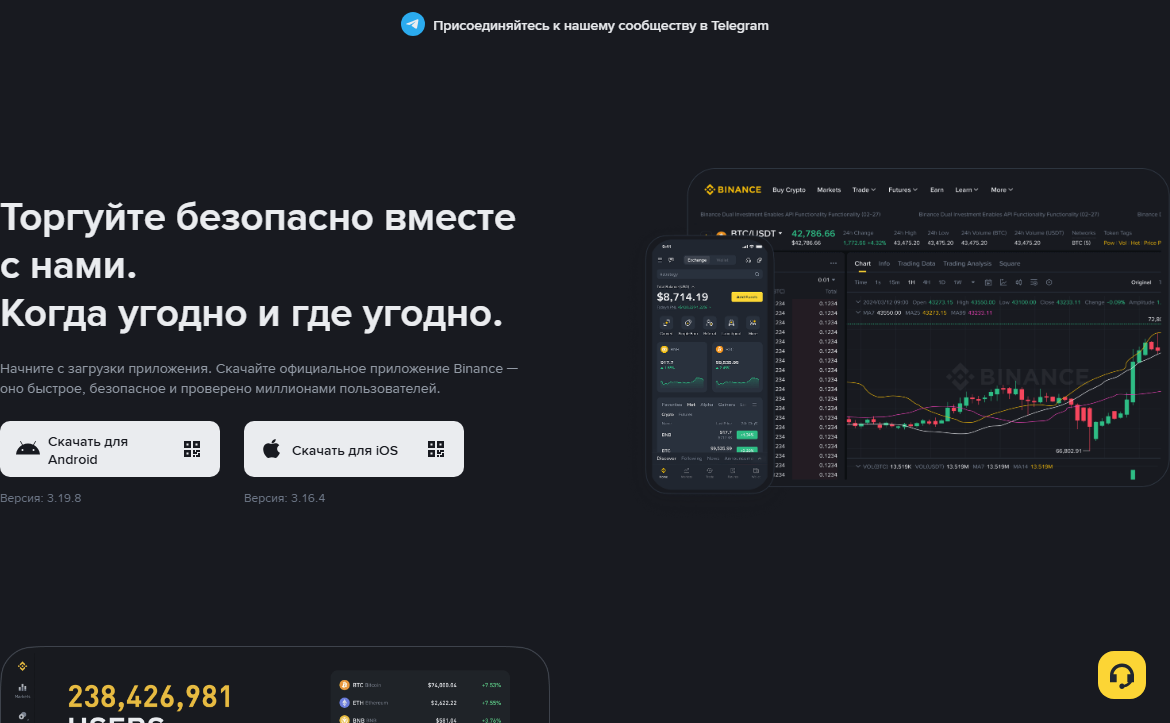
Store search is convenient, but results may include ads, similar apps, wallets, and regional versions. A newcomer may struggle to distinguish the main client from a similarly named product. The official download page is the connecting link: first you check the domain, then follow the link published by its owner.
Type binance.com yourself, open the Download section, and bookmark it. Read the full domain before clicking. Do not treat a sponsored search result as your only proof. The certificate and padlock icon protect the connection to the stated domain, but they do not correct a mistake in the website name.
The page may offer different options depending on the device and region. This is not a reason to change the store country to a fictitious one. If the required version is not shown, first check the requirements and official restrictions. A third-party APK or old installer does not become safe merely because the official store is unavailable.
A version number becomes outdated quickly. This guide therefore does not state that one fixed version is safe. Check the update date, version history, and signature on the current official screen. An old number from an article is a poor guide a few months later.
What should match between the website and the store
Compare more than the name. The store link should open as a continuation of the verified page, the listing should point to the expected product, and the developer section should link back to an official resource or privacy policy. On Android, it is also helpful to compare the package identifier; on iOS, compare the provider and developer link. Consider these signs together: one familiar logo proves nothing.
Before pressing “Install,” check that the ordinary route has not been replaced by unusual instructions. A request to first disable system protection, install a certificate from a chat, enable remote control, or sign in to someone else's Apple ID means you should stop. Tell the person who sent those instructions that you will continue on your own; safe installation does not require them to remain on a call.
Record the installation source in a password manager or a personal note without secrets: platform, official address, store, and date. Months later, this record helps you understand where the client came from, but it does not replace updates. After reinstalling, follow the chain again instead of using a saved file of uncertain age.
Chain of trust
- You opened binance.com yourself and checked the address.
- The official page led to the store or installer.
- The listing shows the expected app and publisher.
- The system does not report a damaged signature or unknown source.
- The first sign-in is completed without an intermediary or remote access.
How to install Binance on Android
For most users, the preferred route is from the official page to Google Play. Compare the listing address and package identifier com.binance.dev shown in the store link at the time of checking. Review the publisher name, support-site link, privacy policy, and update date. A high rating alone does not prove authenticity.
Press Install in the store and wait for completion. Android should not ask you to disable Play Protect, grant the app device-administrator rights, or install an additional “security certificate.” Stop if instructions from a chat require any of these actions.
In some regions, the official website may offer a direct Android download. This type of file is installed outside the store, so checking its source is even more important. Download it only after manually checking the domain and only from the current Binance page. Do not forward an APK between phones or obtain it from a forum, cloud drive, or archive of old versions. Before direct installation, the system may ask for one-time permission for a specific browser to install apps. Do not enable a permanent global permission. Restore the original setting after installation. If an official hash or verification guide is available, compare it using the current guide, not a stranger's message.
After installation, open the app details in system settings. Check the installation source, permission scope, and battery use. Do not enter your password if the app immediately suggests contacting a manager, transferring money for activation, or importing a seed phrase. An ordinary Binance account does not require an external wallet's seed phrase.
How to install Binance on an iPhone or iPad
Open the App Store through the link on the official Binance page. Compare the name, provider, developer website, and privacy policy. The listing may differ by country, so do not copy details from an old video. What matters is the current connection between the official page and the store.
Do not install a configuration profile, enterprise certificate, or “test” build from a Telegram invitation. This is an unusual route for ordinary public installation and a serious risk. Also, do not disclose your Apple ID code to someone who promises to help with the store region.
If the app is absent, check device compatibility, the iOS version, age restrictions, and regional availability. Do not change the Apple ID country to a fictitious one or buy someone else's account. The seller may recover that account, while updates and payments remain tied to another owner. After installation, review permissions in iOS settings. The camera may be needed for a QR code or identity verification, photos only for a selected upload, and notifications for security events. Do not grant permanent access to the entire photo library when selected files are enough for the current task.
Face ID or a device passcode is convenient for local confirmation, but it does not replace Binance account security. Make sure only you know the lock-screen code and that your Apple ID has no unfamiliar devices. A lost phone should be locked remotely through Apple's official service.
What to check when installing on Windows or macOS
Use the Binance download section for computers. Select your operating system and architecture, if shown. Do not search for a “portable,” “cracked,” or old version. A financial platform's client should not be distributed through a torrent, driver bundle, or page with a forced downloader.
Windows and macOS check the publisher's signature and the file's reputation. If the system says the signature is missing, the developer is unknown, or the file has been modified, do not disable protection to continue. Delete the installer, reopen the official source, and compare the guidance. A system warning can occasionally be a false positive, but your decision should rely on an official document, not advice in comments.
On a work computer, installation may be controlled by the organization's administrator. Even if the software runs, your employer may have access to logs, the screen, or backups. For a personal financial account, use your own device with updates, disk encryption, and a screen lock. A browser extension is not a substitute for the desktop app. Do not install a “Binance helper,” trading bot, or bonus extension merely because it uses the logo. An extension can read page content and the clipboard. It is not required for registration or ordinary sign-in.
Delete the installer after installation if you no longer need it, but do not disable automatic updates without a reason. Updates should arrive through the app, official website, or trusted store mechanism. Do not apply a patch received by email.
Checks to complete before entering a password
First compare the source. On Android, this is the Google Play listing with the expected package identifier or a file obtained directly from a verified domain. On iOS, it is the App Store listing opened from the official page. On a computer, it is a signed installer from the Download section.
Then assess the first screen's behavior. The app may offer sign-in, registration, language, and region options. It should not ask for your email password, Apple or Google recovery code, a separate wallet's seed phrase, a bank PIN, or a transfer to an employee's address.
Check the surrounding context. Who provided the link? Why is installation needed now? Is there pressure or a promise of profit? Even the real client can be used in a scam if an attacker directs the later actions through screen sharing. Do not trust screenshots with arrows pointing to a button. Interfaces change, and screenshots can be forged. Check the address and functional logic. A button label that differs from the guide is not necessarily a problem, but an unexpected request for a secret is always a reason to stop.
Make the first launch without your email, password manager, or another crypto wallet open on the screen. This reduces the amount of data that malware or someone with remote access can see. If the app requests a permission unrelated to the current action, deny it and determine its purpose first.
If you do not yet have an account, do not create one inside a client whose origin you could not verify. Return to the safe-registration guide and open the form from a verified domain. Do not enter an existing account merely to “test the app”: a fraudulent client can transmit the password as soon as you press the button.
| Check | Expected sign | Reason to stop |
|---|---|---|
| Source | Transition from binance.com/en/download | File from a chat or cloud service |
| Publisher | Matches the current official listing | Similar name with a typo |
| System | The signature is accepted without bypassing protection | Request to disable protection |
| First screen | Sign in or create an account | Seed phrase, transfers, and remote access |
| Updates | Store or official mechanism | Patch from an email or archive |
How to assess permissions and updates
A permission should match the action. The camera is needed to scan a QR code or check your face, notifications help you see sign-ins and changes, and photos may be needed for a selected document. Access to contacts, the microphone, and the entire media library should not be granted automatically. Read the explanation and use a one-time or limited option when the system offers one.
Denying a permission does not always block the whole app. Often only one function becomes unavailable. Start with the minimum set, then enable a permission when its purpose is clear. After completing identity verification, you can reconsider permanent camera and photo access.
Updates fix bugs and vulnerabilities, but should be installed through the same trusted chain. Enable store updates or use the built-in official mechanism. If the app unexpectedly asks you to download a separate APK from a message, close it and check the Download page yourself.
Before a major update, make sure you know the password and have a second factor and backup recovery method. Do not delete the authenticator with the client without saving a backup. The Binance app and the one-time-code app serve different purposes.
How to make the first sign-in on a new device
Sign in on your own, without a call from a “manager.” Use the same method you used to create the account. If you registered through Google or Apple, do not enter a different email address at random, or you may enter an empty new profile or start registering again.
Check the new-device notification. The IP-based city may be approximate, but the time, device type, and fact of the sign-in should make sense. Do not confirm a request you did not start. After signing in, open the device list and remove unfamiliar entries.
Enable a second factor before making a deposit. Do not show the setup QR code during screen sharing or forward the backup key. Device biometrics are convenient for unlocking, but the account needs an independent method of protection and recovery.
If the app requests an additional check after a device change, follow the official process. Do not bypass it with a “specialist.” A restriction on sensitive actions after a security change may be a protective measure rather than a malfunction.
How to update the app safely or move it to another device
An update from the same store normally preserves a clear chain of origin. Before updating, confirm that you opened the installed app's listing rather than a new search result with a similar name. If the system proposes deleting the official client and installing a separate build, decline until you verify the reason on the Binance page.
When moving to a new phone, do not forward the installer from the old device. On the new phone, independently repeat the route through the official Download section. This avoids copying a damaged or outdated file and lets you recheck the store, provider, compatibility, and current permissions.
Before transferring, make sure your sign-in method and second factor are available independently of the old phone. The Binance app, email, and authenticator serve different purposes. Do not remove the old device until you have checked the backup and understood the official 2FA transfer process. Do not photograph the backup key or send it to yourself in a chat. Make the first sign-in on the new device while no funds are moving. Do not initiate a withdrawal, password change, and new factor at the same time: several sensitive actions make a security restriction harder to understand. After signing in, check the notification, active-device list, and session time. Revoke the old phone only after successfully checking the new one.
If an updated app behaves unusually, stop the sign-in first. Compare the installation source, system package details, and announcements on the official page. A launch error is not a reason to disable operating-system protection, import a certificate, or accept remote help. Temporary access through a verified browser is acceptable only when the service is available in your country and the device is secure.
Afterward, delete old installers from the Downloads folder and revoke browser permissions to install apps when no longer needed. Do not clear the account's security history: sign-in records are needed for monitoring. Record the transfer date and device in a note without the password, code, or backup secret so you can recognize your own session later.
Do not reinstall the client as the first response to every sign-in error. A password or code failure, regional unavailability, or a security delay concerns the account and is not necessarily caused by the app file. First record the message and check the official service status. Reinstallation removes local context but does not lift a platform-side restriction.
Safe installation is supported by several signs together: you started from a verified domain, reached the expected store, checked the listing and publisher, received no warning about a broken signature, and the first screen did not request unrelated secrets. If one point is unconfirmed, do not compensate for it with a rating, reviews, or the interface's outward resemblance.
What to do if the app will not install or launch
Not enough space or an outdated system
Free up space, install operating-system updates, and check the minimum requirements in the current listing. Do not download an old build from a third-party archive. It may contain known vulnerabilities and may not support new sign-in mechanisms.
The app does not appear in the store
Check the region, compatibility, age settings, and official Download section. Do not buy someone else's store account or change the country to a fictitious one. If the app is officially unavailable, use the web version only when legally available and through a verified domain.
The system blocks the installer
Do not disable antivirus or signature checking based on forum advice. Download the file again from the official page, compare the support guidance, and contact official chat if the warning persists.
A personal manager is offered after installation
Do not enter any data or transfer funds. Delete the suspicious software. If you already entered your password, change it from a trusted device, terminate sessions, and check your email and second factor.
The app opens an empty account
Check the sign-in method. Email, phone, Google, and Apple may lead to different profiles. Do not deposit into an empty profile until you understand what happened. Use recovery or official support.
Frequently asked questions about downloading Binance
Can you download the Binance APK?
Only if the direct option is offered by the current official page and you understand how to verify the source. For most users, the store is simpler and safer. Never use third-party APKs.
Why does this article have no permanent version number?
Versions change faster than text. Quoting an old number creates false confidence. Check the current version and date on the official page and in the store.
Do you need a separate Binance Authenticator?
Use only the methods shown in your account's security section. Do not install an app from a stranger's link. Store the second-factor backup separately.
Can you use only the browser?
Yes, if the official web service is available in your jurisdiction and you do not need an app-only feature. The app is not mandatory proof that an account is fully functional.
What should you do if the download screen looks different?
The interface and available options change. First check the domain, then the current official page's store name, publisher, and system requirements. Do not force your actions to match an old screenshot or install a file merely because its design resembles Binance.
Public pages for independent checking
Sources checked in August 2026. Confirm listing addresses, versions, and app availability on the current official pages.