Short answer
What should I do if Binance will not let me withdraw cryptocurrency?
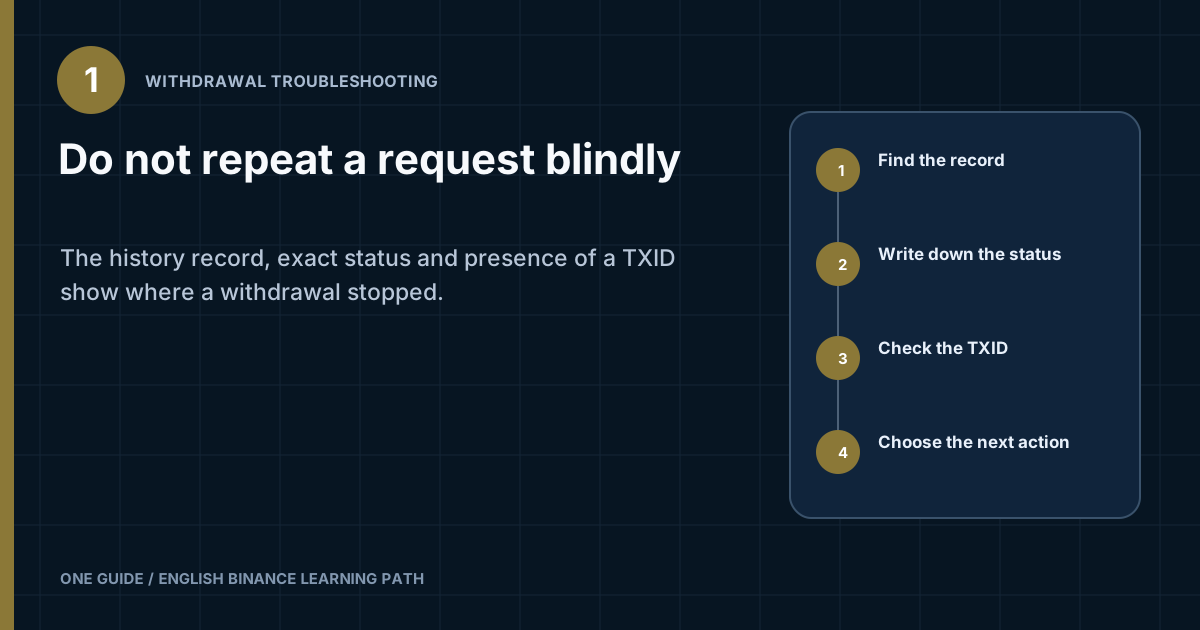
Open the withdrawal history and find the latest attempt. If there is no record, correct the specific form error: available balance, address, network, MEMO/Tag, minimum, or network availability. If a record exists but no TXID has appeared yet, the request is still on Binance's side. If a TXID has been issued, check the transaction in the relevant network explorer and then check its status with the recipient. Do not create a duplicate until you have identified the stage reached by the first attempt. [1]
Withdrawing fiat to a bank card, selling through P2P, and making an internal Binance transfer are different processes. Their statuses, timing, and availability cannot be diagnosed with this flow.
Which three indicators should I record before taking any action?
You need the history record, exact status text, and whether a TXID is present. Saying 'it won't withdraw' is not enough: the button may fail to submit the form, a created request may be undergoing internal processing, or an already sent transaction may be waiting for confirmations at the recipient.
| What you see | Where the problem is | First action |
|---|---|---|
| No record in the history | The form did not accept the request | Copy the entire message and check the entered details |
| A record exists, but there is no TXID | The request has not yet been broadcast to the blockchain | Do not send a duplicate; read Binance's status and notices |
| A TXID is available | The transaction has been sent to the selected network | Open the TXID in an explorer for this network |
| Success on the blockchain, but nothing at the recipient | Crediting depends on the recipient | Check the network, address, MEMO/Tag, minimum, and the recipient's deposit history |
Status names differ across the Binance website, app, API, and regional products. Do not translate an unfamiliar message from memory: save the original wording, error code, and time.
What should I check if the withdrawal request was not created?
Start with the field identified by the form, and change only one potential cause at a time. Binance's official help center separately covers invalid-address messages, an incorrect MEMO/Tag, and a busy network. Other wording may depend on the asset, network, and account, so take the actual reason from the current screen.
- Check the available balance, not the overall balanceThe asset may be in another Binance wallet or committed to a product from which it must first be returned to the available balance. Do not make internal transfers if you do not understand the purpose of the screen.
- Check the asset and network at the recipientDo not choose another network simply because the current one is unavailable. A new option is acceptable only when the recipient explicitly accepts this asset on that network.
- Obtain the address and MEMO/Tag againCopy the details from the recipient's current form. Do not edit the address manually or append the MEMO to the same line.
- Read the minimum, fee, and final amountTake exact numbers from the current screen. The fee and minimum amount depend on the asset and network and may change.
- Complete only the requested security checkA code authorizes a specific action. Do not give it to someone in a chat or enter it on a page opened from an unexpected message.
If the interface shows a data request that is new to you, do not guess the answer or use someone else's details. Stop and verify the purpose of the request through the support center opened from an already authenticated app or a saved bookmark.
What does Processing without a TXID mean?
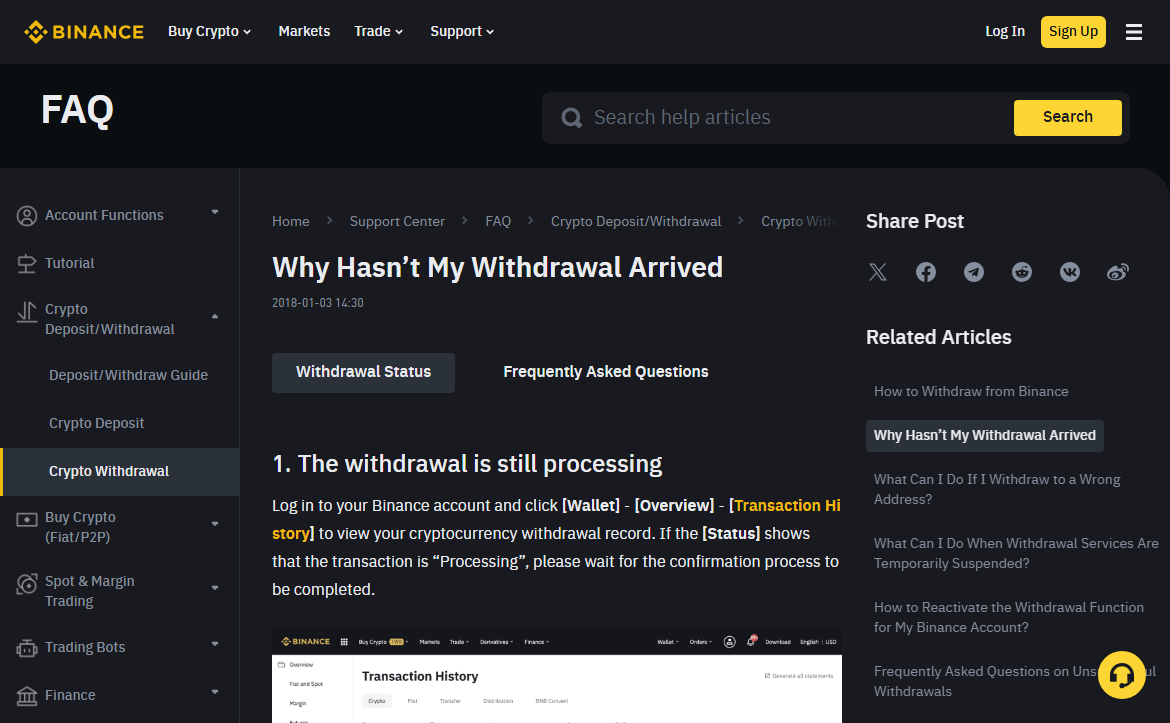
The request was accepted, but the transaction has not yet finished processing on Binance's side. Binance's official help article says to wait for completion when the status is Processing and to open the TXID details after it becomes Completed. Names and available actions may differ in your interface. [1]
- Do not create a second requestA duplicate will not speed up the first request and will make it harder to reconcile the amount and address.
- Check the noticesLook for a message inside the account and an email containing your anti-phishing code, if you have configured one.
- Record the timeSave the creation time, asset, network, amount, and request ID.
- Do not rely on a universal timeframeCheck the current status of the specific record and messages inside the account.
Completed means the funds have been sent from Binance; the help article then advises opening the TXID and checking the transfer with the receiving exchange or wallet. This does not establish a universal crediting time: it depends on the network and the recipient's requirements. [1]
What should I do with a Failed status or a 'rejected' message?
If the interface shows Failed or 'rejected,' take the reason from the record itself or the related message. Do not consider the transaction sent without a TXID, and do not choose the first plausible explanation from a forum. Consider the status, available balance, and error text together.
Before retrying
Four questions for a failed request
- Has the amount returned to the available balance according to the account?
- Is a specific reason or code shown next to it?
- Are the network and address still available at the recipient?
- Has a separate security restriction appeared?
A retry is appropriate only after a clear cause has been corrected—for example, after fixing a value that the form explicitly identified as invalid. If no cause is shown, the balance is unclear, or the error repeats without any change in conditions, stop and give support the details of one attempt. Do not start a series of requests on different networks.
How can I distinguish a network suspension from an account restriction?
Check the scope of the restriction without trying to bypass it. If one asset or one network is unavailable, open the current form and official announcements: wallet maintenance or a network upgrade may temporarily disable withdrawals. If withdrawals are unavailable across different assets, look for an account-level notice and contact official support. Binance separately describes suspensions caused by wallet maintenance, an issue with a specific asset, and an account-level restriction on the withdrawal function. [3]
| Observation | What you can conclude | What you cannot conclude |
|---|---|---|
| One network is unavailable | Check the status of this specific network and the recipient's alternatives | That any other network will work with the same address |
| One asset is unavailable | Check the asset notice and official announcements | That the asset is permanently locked |
| Different withdrawals are unavailable | Check security notices and account status | That the cause is definitely related to KYC, region, or risk |
| Password changed recently | Observe the current protective restriction period shown by Binance | That the same restriction period applies after every settings change |
As of the review date, Binance Academy explicitly states that withdrawals are suspended for 24 hours after a password change. A separate help article about restoring the function warns that the restriction may last 24–48 hours after certain security actions. Rely first on the timer or notice in your own account. [2]
Such advice does not explain the original cause and adds the risk of losing access. If Binance requests a check, complete it only in the official interface and do not rely on a predetermined timeframe or outcome.
What should I do if the status is Completed but the cryptocurrency has not arrived?
After a TXID appears, further checking moves to the blockchain and the recipient's side. Open the transaction in an explorer for the selected network and check the address, network, amount, and confirmations. A Completed status on the sender's side does not equal internal crediting by another exchange.
If the blockchain has not yet confirmed the transaction, monitor the TXID and do not send a duplicate. If the transaction is confirmed but the recipient's balance has not changed, check its minimum deposit, required MEMO/Tag, and deposit history. The detailed process is covered in a separate guide about the withdrawal network and checking the TXID, so that the two tasks are not mixed together.
What should I prepare before contacting support?
A good support request describes one attempt and makes it possible to reconstruct its timeline. Gather the details in advance, but provide them only through support opened from the official website or app.
- date and time of the attempt, including the time zone;
- asset, amount, and selected network;
- withdrawal record ID;
- exact status, code, and full message text;
- whether a TXID is present;
- what changed in the account immediately before the attempt;
- a screenshot without a password, 2FA code, documents, or unnecessary personal data.
Do not publish this set of details together with personal data on a forum. A TXID is generally a public transaction identifier, but combined with the time, account, and correspondence it reduces your privacy.
How can I avoid scammers while withdrawals are locked?
Urgency and anxiety make an 'I can't withdraw' request an effective lure. A scammer may offer a 'manual unlock,' demand another transfer, or send a link to a form that resembles Binance.
- No payment to a personal addressAn additional transfer does not change the status of the request in your account.
- No remote accessDo not let a stranger control your screen while you sign in and authorize the action.
- No secrets sharedA password, 2FA code, private key, and seed phrase are not needed to read a status.
- Verify the source separatelyOpen Binance Verify from your own bookmark, not from the other person's link.
Binance Academy recommends signing in through a saved bookmark and warns about phishing messages that lead to fake pages. Verifying the source reduces the risk, but it does not replace checking the action that the code is authorizing. [2]
Wait, retry, or contact support?
- 01 · Wait and monitor
The record exists, its status remains Processing, there is no TXID, and Binance is not asking for additional action. Keep checking the same record instead of creating a new one.
- 02 · Correct the issue and retry once
The request was not created or received a Failed status, the form identifies a specific invalid field, the amount is available, and you have checked the recipient's details again.
- 03 · Move on to the TXID
An identifier has appeared. From here, check the blockchain and the recipient's side instead of sending again from Binance.
- 04 · Contact support
No reason is shown, the restrictions affect several withdrawals, the balance is unclear, the status remains unchanged for a long time without a clear explanation, or the interface explicitly asks you to contact support.
Frequently asked questions about withdrawals that are not working
Can I cancel a withdrawal with Processing status?
Only if the record itself shows an available cancellation action. If there is no button, do not consider the withdrawal canceled and do not create a replacement. Confirm the status through official support.
Why is there an overall balance but a smaller available amount?
Part of the asset may be in the wrong wallet or unavailable for withdrawal under the terms of a particular product. This article cannot see your account: rely on the balance breakdown and the guidance in the current interface.
Can I choose another network while the required one is suspended?
Yes, but only if the recipient explicitly supports the same asset on the new network and you obtain suitable deposit details again. A matching address format proves nothing by itself.
How long does Processing take?
There is no single timeframe. Internal processing and network conditions change. Save the time of the attempt and check the current record; if the status does not explain the next step, contact support and do not count on a predetermined outcome.
Support is asking for a video or documents—is that normal?
We cannot confirm a request from a retelling. Open support from the authenticated app or official website and check the requirements there. Do not send materials through a private messenger or share your password, 2FA code, seed phrase, or private key.
Before the next action
One attempt, one timeline
- The withdrawal history is open.
- The status and code have been recorded verbatim.
- The presence of a TXID has been checked.
- Do not change the address and network at random.
- Do not create another request without a clear reason.
- Open support only from the official interface.
Official sources for checking
The sources and the currency of the 24-hour restriction after a password change were checked on August 18, 2026. Check status names, network availability, and protective restrictions in your own account.