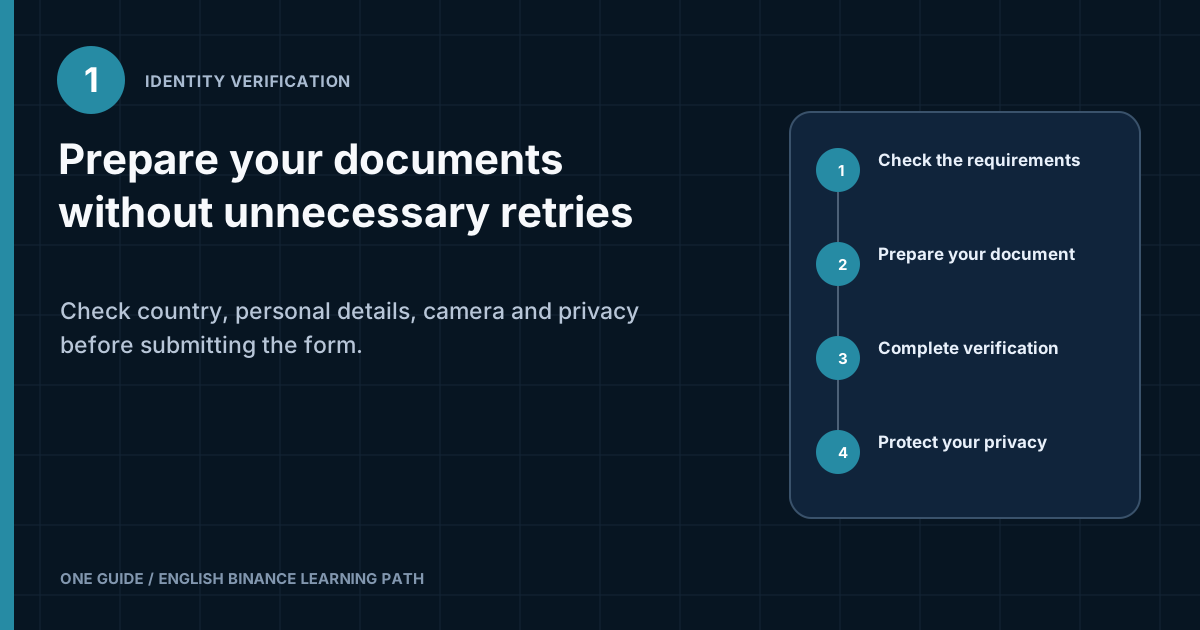
Two decisions before uploading
What do you need for Binance identity verification?
When continuing, copy the details exactly from the document and complete face or address verification only inside the official process. The screen in your account determines the final list of documents. [1] [2]
A passport, selfie, password, email code, and 2FA code should never be sent to someone claiming to be a Binance employee. Support may direct you to an official form, but should not ask for the complete set of secrets through Telegram, WhatsApp, email, or remote screen access.
What is KYC, and what exactly does the platform verify?
KYC, or Know Your Customer, is a process for establishing a customer's identity. Centralized financial platforms use it to comply with anti-fraud and anti-money-laundering rules. For the user, the process normally means matching personal data to an official document, and sometimes also verifying an address or performing an additional check on the source of information. [1] [3]
Identity verification and account sign-in serve different purposes. A password confirms that a person knows the account secret. A 2FA code confirms access to the second factor. KYC connects the account to a specific identity. An approved document does not protect against phishing, and strong 2FA does not replace identification requirements.
You cannot promise every reader the same set of fields in advance. The document type, need for proof of address, available products, and reverification depend on jurisdiction, account status, and current platform rules. If a two-year-old video shows three screens while your form shows five, follow the current form instead of the old recording.
Which information to take from the help center and which only from the form
The public article helps explain the purpose and general order of KYC, but it cannot select a document for a specific user. The personal form, after you select your actual country, shows the accepted type, required document sides, address format, and additional checks. If the on-screen list is shorter, do not upload another document merely because an old guide mentions it.
Before you start, write three points on paper or in a local note without the document number: the selected country, document type, and why it qualifies. This record helps you maintain the sequence and should contain no personal data. If the form suddenly asks for another country or document type, stop and check whether a different profile, regional service, or unverified address is open.
Keep the difference between a rejection and an additional request in mind. An extra field alone does not indicate a problem if it appears within the official process and its purpose is clear. Do not guess at an unclear request: record its wording without an image of the document and open support from your account. After a rejection, use the separate identity-verification error guide, so you do not repeat the same attempt without correcting the cause.
What should you check before uploading a document?
Before capture, confirm four things: official sign-in, actual country, supported document, and matching data. These checks take less time than resubmitting an illegible or unsuitable file. [2] [3]
You signed in through a saved address
Open Binance from a bookmark or the installed app. Do not proceed to KYC from an advertisement, chat message, or email threatening an urgent account lock. Check the domain before entering your password.
The country is stated honestly
Select your actual place of residence and do not conceal it with a VPN to access a product. The wrong country may conflict with the document, address, and service rules.
The document appears in your list
Passports, national identity cards, and driver's licenses may not be supported equally in every region. Not every photo ID is acceptable; use only a type offered by the form.
The document is valid
Check validity, physical condition, and legibility. A damaged, cropped, or expired document may fail automated checks.
Can you select another country if a required feature is unavailable?
No. Substituting another country does not make a feature legally available. It creates a mismatch between the profile, document, and actual place of residence. If a service or product is not offered in the region, the safe option is to respect the restriction and check lawful alternatives.
How do you prepare the document and personal data?
The form details must match the document in meaning and spelling. Do not translate your name yourself unless the form explicitly requests Latin script. Do not shorten a double surname, change the order of name components for a familiar display, or add a patronymic to a field where it is absent from the document.
- Full name
- Copy it from the selected document. Carefully check similar letters, spaces, hyphens, and the order of first and last names.
- Date of birth
- Compare the digits and the form's format. Month-and-day errors often occur when the interface uses an unfamiliar order.
- Document number
- Enter it without guessing. Distinguish zero from the letter O and one from I, and do not add spaces if the field removes them.
- Expiry date
- Take it from the document. If the document has no expiry date, use only the option provided by the form itself.
- Residential address
- Enter your actual address in the required format. If proof is requested, the current form determines accepted types and document recency.
What should a document image look like?
The image must show the whole document, every edge, and legible text without glare. Place the document on a plain surface, remove its cover, flatten it, and direct soft light from the side. Frontal flash often turns laminate and security features into a white patch.
- Clean the lens, especially if the phone camera produces a hazy image.
- Hold the phone parallel to the document so the far edge does not become too narrow.
- Do not cover a corner, number, photograph, or machine-readable zone with your finger.
- Do not crop the edges after capture or pass the file through an enhancement filter.
- Do not add a watermark, border, or caption unless the official form requires it.
- If both sides of a card are required, capture each side separately when prompted.
Do not retouch the document or apply filters. Use the capture or upload method offered by the current official form; if the image is unclear, recapturing the original in even light is safer than using software to reconstruct details. [1]
How do you complete the face check without unnecessary attempts?
The camera should see a live face in even lighting, following prompts without filters. Sit in front of it, remove any bright light source behind you, take off accessories that cover your face if the form asks, and allow the app camera access only for the duration of the process.
A poor result is not always caused by the document. The camera may be blocked in browser settings, another app may be holding it, or power-saving mode may stop the process. If the image freezes, close apps, check camera permission, and retry on a stable connection.
Do not substitute a recording, photograph, or another device's screen for yourself. The presence check is designed to detect such substitutions. Do not ask an acquaintance to perform the head movement for you or use an intermediary promising “ready-made verification.”
How to complete one attempt without rushing or providing unnecessary data
Set aside a dedicated session and close programs that display notifications or record the screen. The document, face, and information you enter should not appear in a broadcast, cloud clipboard, or automatic screenshot. If a helper is nearby, they may explain a term beforehand, but should not see the document or press Confirm for the holder.
Before opening the camera, clean the lens, remove colored lighting, and place the document on a plain surface. Check the frame around the edges, not only the face: a cropped corner, reflection from protective film, or finger shadow can make data illegible. Do not enhance the image with an editor or combine document sides into a collage unless the form requires it.
Enter information in the order shown by the form. Browser autofill may insert an old address or a familiar shortened name, so reread every field after inserting it. If the spelling in the document differs from everyday use, the document and the current field's instructions take priority over a social-media profile. During the face check, hold the device steady and perform only the action shown. A mask, dark glasses, camera filter, or second person in the frame interferes with matching. Do not record a video in advance or send one to an employee: a safe process controls the camera inside the form and reports when the step is complete.
After submission, do not start another attempt in a different tab. First wait for the status in the same account and save the exact result wording without the document image. Concurrent applications make it difficult to know which version is under review. If the platform sets a delay, bypassing it through a new profile creates more mismatches.
After completing the process, delete temporary images, empty the shared gallery's trash, and remove camera access if permanent permission is unnecessary. Do not store the document beside the password or 2FA backup. A log needs only the date, status, and type of document used, without the number, photograph, or personal address.
Stop immediately if a caller demands that you keep the screen open, someone asks you to send a document in chat, a remote-control window appears unexpectedly, or the form is on a domain you did not open yourself. Close it even if the attempt is nearly complete. After checking the device, start again from your profile; an unfinished submission is safer than disclosing the complete set of data.
For another attempt, keep a short change log: the error text shown, exactly what you corrected, and when another attempt is allowed. Do not change the document, country, name spelling, and device all at once. One controlled change helps identify the cause, while a series of random substitutions may create new mismatches and complicate communication with support.
In what order should you complete verification?
- Open the identification section from your profileStart inside the official website or app. On the web version, the route may be in account settings; in the app, the item's name and location may differ after an update.
- Read the requirements for your own countryRecord which document, capture format, and additional information the form requests. Do not import requirements from someone else's country.
- Enter the details and reread them before submittingCompare every field with the document. Disable autocorrect if the phone tries to alter the surname or insert a space.
- Capture the document inside the processIf the form opens the camera, use it. Do not submit a previously edited file merely because it looks better.
- Complete the face checkFollow one prompt at a time. Do not switch between windows or give the device to another person.
- Check the status in your accountAfter submission, return to the same section. Do not click an unexpected email link to “speed up” the decision.
Timing depends on material quality, workload, and whether manual review is needed. A promise of “exactly five minutes” would be unreliable. Check the status and estimated time in the current interface for your Binance application. [1] [3]
How do you reduce the risk of personal-data leakage?
Submit only the minimum necessary set through the official process. By definition, KYC requires sensitive information, so the user's task is not to refuse all data transfer. It is to verify the recipient, device, connection, and which copies will remain after the process.
- Personal deviceComplete the process on an updated phone or computer with a screen lock, not on a shared terminal.
- Verified addressCheck the domain and avoid search ads. Use a bookmark to sign in again.
- Private networkDo not upload a document over an open guest Wi-Fi network when you can use a trusted connection.
- Clean galleryIf the camera saved temporary images, delete unnecessary copies and empty the trash afterward.
- No remote accessDo not install software that lets a “helper” see your screen and control the device.
- No public screenshotWhen asking for help, do not post your face, document number, QR code, address, or application number in a public chat.
Before submitting, it is useful to open the privacy notice and understand which legal entity and provider participate in processing. The name of an external provider, if used, should appear in the official interface or legal documents. A transition to another domain does not by itself prove fraud, but an unexpected address requires additional checking.
Why does Binance ask you to repeat verification?
A retry normally means the system could not reliably match one element, not that you should submit everything many times in a row. First identify the error category, then change only the relevant part.
| Message or symptom | Likely cause | What to check |
|---|---|---|
| The document is illegible | Blur, glare, or cropped edge | Clean the camera, change the lighting, lay the document flat, and recapture it without an editor |
| Details do not match | Typo, different name order, or incorrect date | Compare the field with the document character by character, then check the date format and selected document type |
| Document not supported | Wrong type or region selected | Return to the list of accepted documents; do not choose a similar option at random |
| Unable to verify the face | Poor lighting, filter, or blocked camera | Enable permission, remove the filter, even out the lighting, and close other apps |
| Too many attempts | Repeated submissions without correcting the cause | Observe the on-screen delay and do not create a second account to bypass it |
| Proof of address requested | A separate stage is required | Open the current list of accepted documents and requirements for date and name |
What should you do if the name can be written in several ways?
Use the spelling from the document selected in the form. If the form asks for Latin script and the document contains several versions, do not invent a transliteration. First read the hint beside the field. If it does not resolve the issue, ask support a narrow question without sending the full image in chat.
Should you create a new account after an error?
Usually not. A new account does not fix a poor image or data mismatch. Moreover, multiple accounts may complicate verification. Correct the cause in the existing application and use the official support channel if the interface does not let you continue.
What should you do if the document is rejected again?
Do not submit the same photograph a third time; first collect safe diagnostic details. Record the exact error text, selected document type, device, app or browser version, and approximate attempt time. These details help explain the problem without disclosing the document number.
- Check whether the screen gives a specific reason and the time until another attempt.
- Compare profile data with the document without changing the country to get a result.
- Recapture the document under different lighting and with another camera if quality is the problem.
- Update the official app or try a supported browser if the camera does not start.
- Open support from the account and provide the error text without your password, 2FA code, or unnecessary document copies.
If support requests additional material, confirm that the request appears in an official session. Do not accept help from someone promising to remove a restriction in exchange for payment, a cryptocurrency transfer, or control of the account. Official verification is not sold by intermediaries.
What should you check after approval?
Identity approval does not mean the account is fully ready to receive funds. Resolve security questions first, then check the required product's availability, its rules, and the network for the future transfer.
- Enable a strong second factor and store the backup method separately.
- Review the device list and terminate unfamiliar sessions.
- Protect your email account with a separate password and 2FA.
- Check which features are actually available in your country.
- Before making a deposit, understand the asset, network, address, MEMO or Tag, and final fee.
Verification may be requested again after a document expires, important details change, or under current requirements. If a new request appears, return to it through your profile rather than a link from an unknown sender.
Frequently asked questions about Binance identity verification
Can you complete KYC with someone else's document?
No. The data and face must belong to the account holder. Using someone else's identity creates a risk of restrictions, recovery problems, and rule violations.
Why does another user have a different document list?
Requirements depend on the country, available legal entity, and current process. Follow the list in your own account instead of someone else's screenshot.
Can you cover part of the document number?
Do not cover data the official form needs for matching. If you are unsure about the scope of a request, stop and read the privacy notice.
Do you need a VPN for verification?
A VPN does not help prove identity and may create a location mismatch. Provide factual information and do not use technical workarounds for regional rules.
Can support ask for a 2FA code?
Do not disclose one-time codes, your password, or a backup key. These details can be used to confirm an action in your name.
What matters more after KYC: a deposit or security?
Security first. Secure your email, set up a second factor, and check devices before the first deposit.
Final check before submission
The form is ready if all six answers are “yes”
- Was the address opened from a bookmark or the official app?
- Are the country and personal details truthful?
- Is the document type on the form's current list?
- Are all edges and text legible without glare?
- Does the camera work without filters or remote access?
- Will document copies be kept out of a shared folder or open chat?
What was checked against official pages
The process structure, document availability, and account features may change. The pages below were checked on August 8, 2026; your interface provides the final decision.