Short answer
Which Binance settings should you enable before depositing funds?
Protect the linked email account with a separate password and 2FA, create a unique Binance password, connect an independent second factor, store its backup away from the primary phone, set an anti-phishing code, review active devices, and configure withdrawal restrictions if available. Then write down the steps to follow if the phone is lost or you notice a suspicious login. If any of these items is not ready, it is too early to deposit funds. [1] [2]
Do not tell anyone your password, one-time code, backup key, passkey PIN, or code from an email, even if they know your name and support ticket number. A support employee should not ask you to install a remote-access tool, share your screen, or “cancel a withdrawal” by disclosing a secret code.
What should a Binance account be protected against?
The main threat is the takeover of the entire recovery and confirmation chain. An attacker can obtain the password through a phishing page, take over the email account, persuade the carrier to transfer the number, install a malicious extension, or persuade the owner to confirm an action. Protection therefore needs to block several different paths instead of repeating the same factor.
It is useful to think of the account as five security boundaries. The first controls login: the password and second factor. The second confirms messages: email and phone. The third stores trust: devices, sessions, and browsers. The fourth controls money: withdrawal addresses, limits, and confirmations. The fifth restores access: backup keys, documents, and the official recovery process.
If the Binance and email passwords are the same, two security boundaries effectively become one. If the authenticator and its backup are stored as screenshots on the same phone, losing the phone destroys both the working factor and the backup. If a single phone number is used for login and recovery, a SIM transfer can affect several stages at once. Independence matters more than the number of checked boxes.
Which scenarios are most common?
For a beginner, the most realistic threats are phishing, password reuse, email takeover, malicious apps, and social engineering. No sophisticated infrastructure attack is needed if the user enters a code on a fake page or allows a stranger to control the screen.
| Scenario | What an attacker obtains | What the layer blocks |
|---|---|---|
| Fake login website | Password and the code entered | Bookmark, domain check, passkey or hardware key, and attention to the session |
| Password leak at another service | An email-and-password pair for automated verification | Unique password from a manager |
| Email account takeover | Confirmation emails and recovery | Separate email password, its own 2FA, and forwarding-rule checks |
| SIM swap | SMS and control of your phone number | An authenticator, passkey, or hardware key instead of reliance on SMS |
| Malicious extension | Page contents, clipboard, and session | Clean browser profile, minimal extensions, and checks of the address and devices |
| Persuasion by “support” | Codes, screen sharing, and confirmed actions | Never disclose secrets; open the official support center yourself |
How does exchange-account security differ from wallet security?
Access to a centralized account is controlled by credentials and platform rules, while the decisive secret for a non-custodial wallet is the private key or seed phrase. Do not transfer habits between systems without thinking. Binance should not ask for the seed phrase of a third-party wallet. At the same time, recovering an exchange account may require identity confirmation through the official process.
This article covers an account on a centralized platform. It does not promise absolute protection and does not replace an assessment of custody risk. Even a properly configured account remains dependent on service availability, jurisdictional rules, and your actions. For long-term storage of substantial amounts, study self-custody separately, but only after understanding backups and the irreversibility of transactions.
What should you configure in the first thirty minutes?
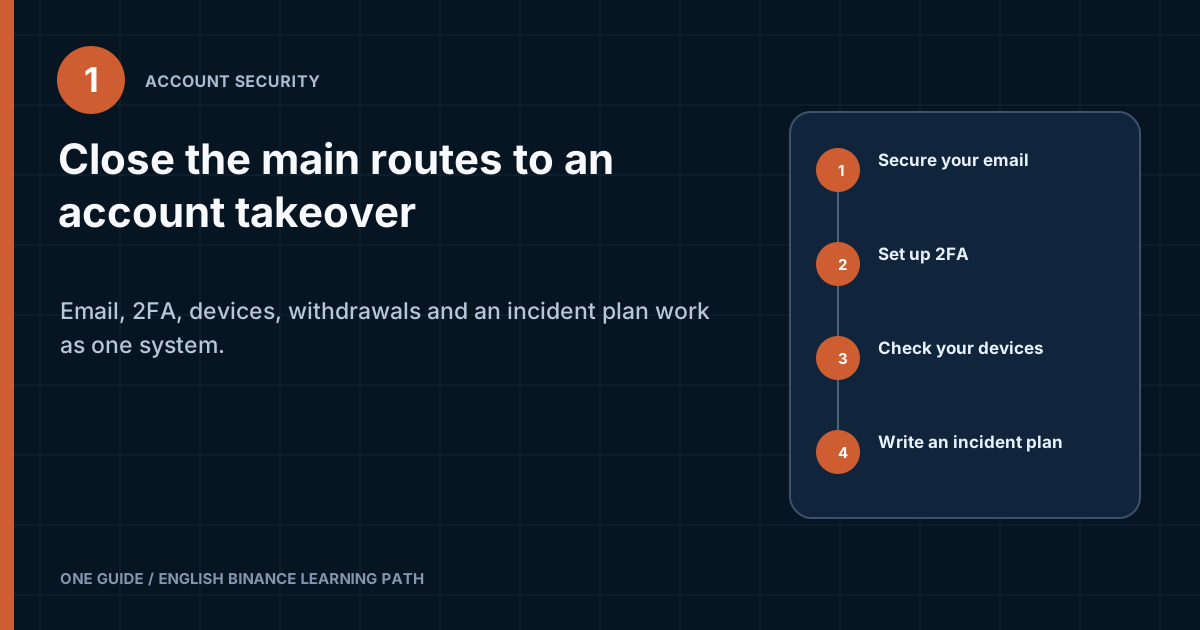
Start with email, then proceed to the Binance password, second factor, devices, and withdrawals. This order is necessary because email often takes part in confirming subsequent changes. If it is already compromised, later settings can create a false sense of security.
- Protect the linked email accountChange the reused password, enable the account's own 2FA, and check recovery contacts, active sessions, and automatic forwarding rules.
- Create a unique Binance passwordGenerate it with a password manager and do not use it anywhere else. Do not store it in an unlocked note.
- Connect an independent second factorChoose an available option that does not reduce to reliance on the same email account. For most beginners, an authenticator app is a practical starting point.
- Store the backup separatelyRecord the backup key or codes in secure storage. Check that you can access it without the primary phone, but not through an unprotected cloud account.
- Enable an anti-phishing codeCreate a phrase that you do not publish. It helps you spot a fake email, but does not replace checking the sender address and link domain.
- Review devices and activityRemove old and unfamiliar devices. If you do not recognize something, treat it as an incident rather than a cosmetic entry.
- Learn about withdrawal protectionIf an address allowlist or other restrictions are available, configure them before depositing money and understand how a new address is added.
Stop before depositing
Do not deposit funds if any of the following conditions applies
- The Binance password is the same as the email password or a password used for another service.
- The only second factor is SMS sent to a number that has no carrier-level protection.
- The backup key is stored as a screenshot next to the authenticator app.
- There is an entry in the device list that you cannot explain.
- You log in through links in messages and ads instead of through a bookmark.
- There is no written procedure for what to do if the phone is lost.
Why is email part of Binance security?
Email often confirms logins, security changes, and recovery, so compromising it can bypass other measures. Users often create a complex password for Binance while leaving an old email password that was exposed in a breach of a store or forum. The most important account then ends up protected through the weakest one.
A separate address for financial services reduces random email and makes anomalies easier to identify. It should not be the public contact address listed in ads and social media. The less outsiders know about the link between the address and Binance, the harder it is for them to prepare a convincing personalized message.
How do you check your email account?
Check the password, second factor, backup, sessions, forwarding rules, and third-party apps. Changing the password alone is not enough if an attacker has already created a rule that forwards or deletes notifications.
- Create a unique password that differs from the Binance password and the manager's master password.
- Enable 2FA with your email provider, preferably without relying on the same single phone number.
- Review active sessions and end any you do not recognize.
- Check filters, forwarding rules, delegated access, and connected apps.
- Update the backup email address and phone number, removing old contacts that no longer belong to you.
- Store backup codes separately and check the date when the settings were last changed.
If an email with a code does not arrive, do not disable protection in a rush. Check the spam folder, email rules, the address, and the service status. Repeated requests can invalidate several codes, and a scammer may use the delay as a reason to offer “manual delivery” of the code.
Should you use one email address for every exchange?
Separation reduces the consequences of a leak, but makes recovery and record-keeping more complex. A beginner needs a reliable setup; the number of email addresses alone proves nothing. One well-protected, non-public address is better than five inboxes with reused passwords and lost backups. If you separate services, record which inbox is linked to which service without writing the password next to it.
What should a Binance password be like?
The password should be long, random, unique, and stored in a password manager. Complexity does not mean replacing letters with digits in a familiar phrase. A pattern such as a name, year, and symbol is predictable, while a long random password is harder to guess and cannot be reused after another site is breached.
A password manager is also useful because it ties an entry to the correct domain. If the extension does not offer credentials on an unfamiliar page, that is a reason to stop. The manager itself becomes an important control point, however: protect it with a unique master password, 2FA, and a clear recovery plan.
Do not send the password to yourself in a messenger app or store it in a photo. A paper backup can be reasonable if it is kept in a secure place and is not labeled so that anyone who finds it immediately understands its purpose. The main criteria are controlled access and independence from a single device.
Should you change the password regularly for no reason?
Change the password if you suspect compromise, have reused it, notice an unknown login, or lose control of a device. Pointless calendar-based changes often lead to weak variations with a changing digit. If the password is unique, random, and has not been exposed anywhere, checking the second factor and devices is more useful.
After sensitive settings are changed, the platform may temporarily restrict certain actions. Check the current screen for the exact duration and list of restrictions, not an old article. Do not try to bypass the security pause through an intermediary or a new account.
Which second factor should you choose for Binance?
Choose a factor that does not depend on the password and, where possible, resists phishing and phone-number porting. The available options vary by region and account version. Common options include an authenticator app, SMS, email, a hardware key, or a passkey. They do not offer the same properties. [1] [2]
| Method | Strength | Main risk | Who it suits |
|---|---|---|---|
| SMS | Easy to start and requires no app | SIM swap, loss of the number, or interception of the message | As a temporary additional layer if a stronger option is not yet available |
| Email code | Familiar process and access from different devices | The email account becomes a single point of failure | As an additional confirmation method for a well-protected email account |
| Authenticator app | The code is generated locally and does not depend on a SIM | Loss of the phone and backup key, or entering a code on a phishing site | A practical primary option for most beginners |
| Hardware key | Physical confirmation and stronger resistance to remote theft | Loss of the only key or device incompatibility | For higher-risk situations and users prepared to maintain a spare key |
| Passkey | Cryptographic binding to the genuine website, with no code to disclose | Reliance on the synchronization and recovery ecosystem | If the feature is available and you understand how it transfers between devices |
SMS is better than having no second factor, but you should not build your entire security setup around it. A mobile carrier does not see the context of a financial account and can make a mistake when restoring a number. Set a PIN or block remote SIM replacement if the carrier offers these options, and do not publish the number unnecessarily.
An authenticator does not protect against a page where the user enters a current code themselves. The code is valid only briefly, but an automated phishing system can forward it immediately. Passkeys and hardware keys provide stronger resistance to phishing because verification is tied to the domain, but they also need a backup.
Should you enable several factors at the same time?
Multiple factors are useful if you understand which one confirms a login and which one serves as a backup. More methods do not always mean stronger protection. If the weakest method allows full account recovery, an attack will go through it. Review the recovery rules for every connected method.
A good combination for a beginner may include an authenticator as the active factor, protected email as a separate notification channel, and backup codes stored outside the phone. For higher risk, add a hardware key or passkey while retaining a second physical key or a clear recovery path.
How do you configure an authenticator app safely?
The key step during setup is not scanning the QR code, but storing the backup secret securely. A QR code usually contains the same secret the app uses to generate one-time codes. Anyone who obtains it can generate the same codes on their own device.
- Download an authenticator from the official storeStart from the developer's page and verify the publisher. Do not install an APK from a chat or scan a QR code sent by a “consultant.”
- Open the 2FA setting inside your accountVerify the domain and current session. Before starting, close screen sharing, screen recording, and remote-access apps.
- Save the backup secretRecord it in a secure manager or on paper stored separately. Do not take an ordinary screenshot that will be uploaded automatically to a cloud photo library.
- Add the entry to the appScan the QR code with your device or enter the secret manually. The entry name should help distinguish it from other accounts without exposing unnecessary information.
- Confirm the setupEnter the current code and make sure the phone's time is set automatically. An incorrect clock can cause codes to be rejected repeatedly.
- Review the recovery plan on paperMake sure the entry is readable and clear to you, but do not leave the secret on a desk. Do not remove the old factor until the new setup is complete.
Some apps synchronize entries through a cloud account. This is convenient if the phone is lost, but it shifts part of the risk to that account. Check whether it is protected by a separate password and 2FA, whether the backup is encrypted, and whether you can view the list of connected devices.
Where should you never store a backup key?
Do not store the backup in the same unprotected place as the active factor. A screenshot in the photo library, an unlocked note, a message sent to yourself, and a file called “2FA Binance.txt” on the desktop can easily be copied by malware or someone with access to the device.
A sensible backup setup survives the loss of one device but is not open to anyone who finds the paper. You can split physical storage from the password manager and, for substantial amounts, keep a second copy in another secure location. Do not make the setup so complex that you cannot recover access yourself.
What do passkeys and hardware keys provide?
Passkeys and compatible hardware keys verify logins cryptographically and do not give the user a code that can be dictated to a scammer. The genuine website sends a request, the device signs it with its private key, and the server verifies the signature. A fake domain does not receive a valid signature for the genuine website.
It is convenient to keep a hardware key separate from your phone, but you cannot rely on a single key. Loss, damage, or the lack of a compatible connector can lock the owner out. Before enabling one, find out whether you can register a second key, how to remove a lost key, and which backup method will remain.
A passkey may be stored on a specific device or synchronized through a provider account. Synchronization improves availability, but security then partly depends on the protection of Apple, Google, Microsoft, or another storage provider. Record where the passkey is stored and how to regain access to that ecosystem without the old phone.
Should you replace an authenticator with a passkey immediately?
No. First check device compatibility and the recovery path. New technology is useful only when the owner understands its entire life cycle. You can add a passkey as a strong login method, retain a tested backup, and later remove a weaker method if the account rules allow it.
How do you recognize phishing that impersonates Binance?
Phishing tries to make you act before checking the context. The message creates urgency: “the withdrawal is already in progress,” “the account will be closed,” “KYC must be updated,” or “security support is waiting for the code.” The goal is to make the owner open a link, enter a secret, or install a program before calmly logging in to the account independently. [1] [3]
The sender address and the appearance of an email can be forged. A logo, name, phone number, and even part of a support conversation do not prove authenticity. Treat the email as a notification, not an entry point: close it, open your saved Binance address, and check the status inside your account.
What does an anti-phishing code provide?
An anti-phishing code helps distinguish an expected Binance email from a mass forgery. You set your own phrase in the security settings, after which it should appear in official notifications covered by the feature. Do not use your name, date of birth, or a word published on social media.
The code is a signal, not a guarantee. If you post a screenshot of a genuine email in a public channel, a scammer can learn the phrase. A compromised email account also makes it possible to read genuine messages. Even if the code is correct, do not enter your password through a link when you can start the action from a bookmark.
How do you check a domain and link?
Look at the actual domain, not the button text. The label may say “binance.com” while the address leads to another website. On a computer, hover over it and inspect the destination address. On a phone, press and hold the link to preview it, although it is better not to use it for login at all.
- Save the official address as a bookmark after typing and checking it yourself.
- Do not trust a domain just because it contains the word binance.
- Watch for substituted letters, extra hyphens, unusual top-level domains, and subdomains placed before someone else's domain.
- Do not log in through an ad result, shortened link, or QR code from a message.
- Use the official Binance Verify tool to check supported public contacts, but remember that it does not make every request safe.
Which requests are almost always dangerous?
Any request to disclose a secret or confirm an action you did not start is dangerous. Requests for a password, 2FA code, backup key, external-wallet seed phrase, installation of AnyDesk or a similar app, transfer of an “insurance deposit,” or creation of an API key for “verification” are especially critical.
A scammer may offer to cancel a suspicious transaction using a code that actually confirms a withdrawal. Read the full purpose of the code in the official window. If a notification mentions adding an address, a login, or a withdrawal that you did not initiate, do not enter the code; follow the response plan.
How do you review devices and active sessions?
The device list shows where the account has already granted trust, while the activity log helps identify an unexpected login. Menu item names may change, so look for the security, device management, and account activity sections. Review them after initial setup, a phone change, and any unusual notification.
IP geolocation is approximate. A mobile network, VPN, or internet provider may show a nearby city or a different region. Assess the combination of signals: device model, browser, time, network, and whether you logged in. An unfamiliar device model matters more than a small difference in the city.
What should you do about an unfamiliar device?
Remove it and treat the situation as a possible compromise. From a trusted device, change the password and check email, 2FA, withdrawal addresses, and API keys. If there are signs of an active attack, use the available account restriction or lock feature and contact official support.
Do not delete the entry and carry on as usual. A successful unknown login means that at least one layer has already failed. You need to determine whether it was an old phone, your own session through a VPN, or genuinely unauthorized access. Until you find the cause, do not add funds or approve new addresses.
Should you stay signed in at all times?
A persistent session is convenient, but it increases the consequences if an unlocked device or browser data is stolen. On your own phone, use a screen lock, biometrics, or an app PIN if the feature is available. Do not log in on someone else's computer at all, especially when you cannot check its extensions and malware.
How do you prepare your phone?
The phone should receive updates, have a screen lock, and contain no unknown apps with broad permissions. Check accessibility services, device administrators, notification access, screen recording, and installation from unknown sources. A fraudulent app can read notifications containing codes or tap elements over another window.
Do not disable system protection to install a financial app. Rooting and jailbreaking expand the owner's control, but also weaken app isolation. For a financial account, a separate device that receives updates is better than a phone with unclear modifications and dozens of third-party stores.
How do you prepare your browser?
Use a separate, clean browser profile with as few extensions as possible. An extension can see pages within its granted permissions and may read the clipboard. Keep only necessary extensions from known developers, review permissions after updates, and remove anything you do not use.
Password autofill on the correct domain is useful as an additional check. If the manager does not suggest an entry, do not automatically copy the password. First compare the domain with your bookmark. Clearing your history does not remove a malicious extension, and incognito mode does not protect against phishing.
How do you limit withdrawal risk?
Withdrawal protection should make a transfer to a new address noticeable and require separate confirmation. If an address allowlist is available in the account, it restricts withdrawals to saved details. This slows theft after login is compromised, but only if the email account and confirmation factor are also protected.
An allowlist does not verify who owns an address or correct the wrong network. If you add a scammer's address yourself while following instructions from alleged “security support,” the system will treat it as authorized. Add details only for a purpose you understand and verify them through an independent channel.
How do you add an address safely?
- Open the recipient wallet yourself and select the required asset and network.
- Copy the address and, if required, the MEMO or Tag.
- Paste the details into the form, then compare the beginning, end, and network with the original.
- Give the entry a clear name that does not disclose unnecessary personal data.
- Read the entire confirmation notification and do not approve an unexpected change.
- On first use, make a test transfer above the current minimums.
Malware can replace clipboard contents with an attacker's address. This is why you should compare the address after pasting it, not before copying it. For a large or recurring transfer route, it is useful to verify the address on a second trusted device.
Why make a test transfer if the address is already on the list?
An allowlist confirms that an address was previously approved, but it does not prove that the network is correct or that the deposit can be credited. A test checks the entire route: asset, network, address, additional identifier, and recipient processing. It requires an additional fee, so check the amount and current minimums on the final screen.
Should you keep all funds on an exchange?
The amount of funds kept on a centralized platform should match your purpose and understanding of the risk. An account is convenient for transactions, but it does not give the owner the private keys for assets held by the exchange. Do not treat strong 2FA as a guarantee of access or reimbursement.
If you are considering self-custody, first learn about seed phrases, backups, fake apps, addresses, and networks. Moving assets to a wallet without understanding these basics can increase rather than reduce risk. Do not make the decision based on an advertising promise of “complete security.”
Why do API keys and third-party apps require separate controls?
An API key can give a program access to data and transactions without the usual manual login. A beginner usually does not need one. Do not create a key for someone who offers to “set up earnings,” “check the account,” or “connect a bot” in private messages.
If an API is genuinely needed, grant the minimum permissions, disable withdrawals, restrict IP addresses where possible, and protect the secret like a password. Check the service's documentation, legal entity, and revocation procedure. A screenshot of the secret key is a leak even without the Binance password.
How do you audit API access?
There should be no keys in the account whose purpose you cannot explain. Remove old integrations, rotate compromised keys, and review the activity history. If a key was sent in a chat or pasted into an unknown website, treat it as exposed.
- Record the service name and the reason each key exists.
- Check permissions for trading, reading, withdrawals, and other operations.
- Restrict the source of requests if your use case supports a fixed IP address.
- Do not send the secret through an email, spreadsheet, or support ticket.
- Remove a key as soon as a temporary integration is finished.
Can you connect Binance to an unknown app?
No. First understand what access the app is requesting and how to revoke it. An attractive portfolio screen does not prove that an app is safe. Check the publisher, privacy policy, permissions, and connection method. If an app asks for your Binance password instead of using an official mechanism or an API, stop.
How do you use Binance on a public network?
For sensitive actions, it is better to wait for a trusted connection. Modern encryption protects traffic, but a public network creates additional risks: a fake access point, a login portal, and other people's physical oversight nearby. Do not complete KYC, add an address, or recover access in an airport or café.
A VPN does not turn a fake website into a genuine one or fix an infected device. It can hide traffic from the local network, but it adds reliance on the VPN provider and sometimes changes the login location. Do not use a VPN to bypass regional rules or conceal your actual country.
How do you configure notifications without missing an important event?
Notifications should quickly report logins and security changes, but should not reveal codes on the lock screen. Enable alerts for sensitive actions through the available channels and check that you receive them. Then limit notification previews: someone nearby should not be able to see a one-time code, address, or amount without unlocking the device.
Do not create a rule that automatically deletes Binance emails just to keep the inbox tidy. A separate folder is useful if messages remain visible and search still works. Notifications disappearing unexpectedly can itself be a sign of an unauthorized filter or access to the email account.
After changing phones, perform a safe test action that does not move funds and make sure notifications arrive on the new device. Remove the old phone from the cloud account and trusted devices. If the old device continues to receive messages, the migration is not complete.
The urgency of a notification does not remove the need to verify it. An email about a withdrawal you did not make requires action, but you should act through your bookmark and official account. A button inside the most alarming email does not become safe merely because the text is frightening.
How do you prepare for recovery before losing access?
Create a recovery plan while the account is accessible and there is no panic. Record where the backup codes are kept, how to recover the email account, which number is linked, where the identity document is stored, and the official address used to open support. Do not write all secrets on one clearly labeled sheet.
The plan must survive one failure. Losing a phone should not simultaneously deprive you of the authenticator, email account, phone number, and only copy of the backup key. A fire or bag theft should not destroy both physical keys. At the same time, the backup must not be so accessible that any family member, colleague, or malicious program can gain full control.
What should a recovery checklist contain?
- Official entry point
- A bookmark or written-down domain without affiliate or shortened links.
- Linked email account
- How to recover it without the phone, where the backup codes are stored, and which contacts are listed.
- Primary second factor
- Which method is used, which device it is on, and where the independent backup is kept.
- Spare key
- A physical location or secure storage that the owner can access after losing the primary device.
- Account restriction procedure
- Where to find the official account restriction feature and support if you notice an unauthorized login.
- Check sequence
- After recovery, check the email account, sessions, withdrawal addresses, APIs, devices, and activity history.
Should you test the backup in practice?
Yes, but without removing a working method or disclosing the secret. Make sure the paper record is readable, the password manager opens from a backup device, the spare hardware key is registered, and the email account can be recovered through a current contact. The purpose of the check is to find a dead backup before an incident.
How do you account for changing your phone and phone number?
Transfer your security methods before selling or resetting the old device. Add a new factor, test the login, update the backup, and only then remove the old one. Make sure the old phone is unlinked from your email, cloud account, passkeys, and the Binance app, then securely erase its data.
A carrier may eventually reassign a phone number after you give it up. Do not leave an old number in your profile or recovery settings. Update it in your email, password manager, cloud account, and other systems involved in access.
What should you do if you suspect an account takeover?
Use a clean, trusted device and do not use a link from a suspicious message. The priorities are to stop new actions, regain control of email and login, revoke unauthorized sessions and keys, and then gather information for official support. Do not transfer a “guarantee payment” for recovery. [1] [3]
There is an unexpected code or email, but login still works
Do not confirm the action. Log in through your bookmark, check activity and devices, change any reused password, secure your email, and review withdrawal addresses and API access.
The phone is lost, but email remains accessible
Block the SIM and device through official services, use the prepared backup for the second factor, end sessions on the lost device, and replace the factor.
Email account compromised
First recover the email account through its provider and remove forwarding rules and unauthorized sessions. Then move on to Binance from a clean device and change the related secrets.
Binance login is already unavailable
Open the official recovery process manually, prepare the account information, and do not pay an intermediary. After regaining access, conduct a full audit.
What should you do if you receive a notification about someone else's login?
Do not click the button in the email; open the account yourself. Compare the device, time, and IP with your own activity. If the entry is not yours, remove the device, change the password, and check email and 2FA. Look for any withdrawal address, API key, or new factor that may have been added.
What should you do if you entered a password on a fake website?
Treat the password as exposed even if the page displayed an error. Close it, open the genuine website from another clean device, change the password, and end all sessions. If you entered a current code, check the login history immediately. Also change the password everywhere you reused it.
Save the fake page address and event time for the report, but do not return to it just to take a screenshot containing personal data. Scan the device with antivirus software and check browser extensions. If a file was downloaded or a program installed, changing the password alone may not be enough.
What should you do after installing a remote-access program?
Disconnect the device from the network, end the remote-access session, and treat any secrets shown on screen as exposed. From another trusted device, change the email and Binance passwords and revoke sessions, factors, and API access. Removing the program does not prove that no other malware remains on the device.
If an unknown person has seen the seed phrase for an external wallet, that is a separate critical incident. You cannot “change” a seed phrase within the same wallet. You need a new wallet created on a clean device and a secure transfer that you perform yourself, without help from the same contact.
What should you do if you lose your SIM card?
Contact the carrier through its official number, block the SIM, and check whether a replacement SIM was issued. Then check your email and Binance from a trusted device. If SMS was used as a factor, replace it with an independent method after regaining control.
What should you tell support?
Report facts that help locate the event, but never report secrets. Useful details include the type of problem, notification text, approximate time, device, recent actions, and official ticket number. Do not publish them in an open group. A password, one-time code, backup secret, and private key are not needed to identify the support request.
Why should you not trust a “recovery specialist”?
After a public complaint, a victim is often attacked a second time. Someone promises to recover the account, trace the money, or negotiate with the exchange for an advance payment. They may ask for screen sharing, a seed phrase, API access, or a fee transfer. Use only the official process and independent legal assistance if it is genuinely needed.
How do you perform a monthly security check?
A short repeat check is better than relying on a memory that “everything has already been configured.” You do not have to change the settings every month. You need to make sure the factors are still available, the backup is readable, the devices are known, and no new features or integrations have appeared without your decision.
Finish the test with one controlled action: sign out of the test session, sign in again normally, and make sure the second factor and notification worked as expected. Do not disable protection for the experiment or create a withdrawal. If the notification does not arrive or the device is identified incorrectly, investigate the discrepancy before returning to transactions involving funds.
- EmailThere are no unauthorized sessions, new forwarding rules, or outdated recovery contacts.
- PasswordUnique, never disclosed, and not reused in other services.
- 2FAThe active factor is available, the backup is stored separately, and old methods have been removed.
- DevicesEvery entry is recognizable, and access for old phones and browsers has been revoked.
- WithdrawalThe addresses are clear, there are no unknown entries, and the network is checked before every action.
- APIEvery key has an owner, a purpose, minimum permissions, and a defined period of use.
- BackupThe recovery paths for email, phone, and the second factor remain current.
- Login habitA bookmark is used instead of an ad or a link sent in a message.
How can you tell whether the protection has become too complex?
You should be able to explain the setup on one page and recover after losing one device. If you have many backups but do not know which one is current, complexity has become a threat. Remove outdated copies after a controlled migration and date your recovery notes without recording secrets.
Which matters more: convenience or security?
You need a balance that makes the protection practical enough to use. A setup that is too weak will not stop an attack, while one that is excessively complex encourages you to store codes together and bypass your own rules. For a beginner, a reliable authenticator with a tested backup is usually more useful than an expensive key kept as a single, untested copy.
Frequently asked questions about Binance security
Is SMS enough to protect Binance?
SMS is better than having no second factor, but it depends on the carrier and the phone number. For your main financial account, consider an authenticator, passkey, or hardware key if available, and make sure to secure your email.
Can you store a 2FA backup in a cloud photo library?
An ordinary screenshot can easily synchronize to every device and be read if the cloud account is compromised. Use a secure manager or a physical copy in a controlled location.
Does an anti-phishing code guarantee that an email is authentic?
No. It helps identify a mass forgery, but the phrase can leak and the email account can be compromised. Use a bookmark to log in and verify the action inside your account.
Why should you not share your screen with support?
A code, QR code, backup secret, address, or confirmation email may appear on the screen. Remote control lets another person click the confirmation on your behalf.
Should you disable SMS after connecting an authenticator?
First find out the recovery rules and available backup methods. A weak method may remain a recovery path, but removing it without a working backup is dangerous too.
Can you use one password manager for your email and Binance?
Yes, if the manager is well protected and its recovery is properly planned. The passwords stored inside it must be different, and the master password must not be reused anywhere.
What should you do with an old phone?
First transfer and test 2FA, passkeys, email, and the Binance app. Then remove the old device from trusted devices, sign out of accounts, and securely erase the data.
Can Binance ask for a wallet seed phrase?
Do not disclose a seed phrase. It gives full control over a non-custodial wallet and is not needed to verify an exchange account.
Should you change the password after every notification?
First identify the event. An unexpected login, a leak, password reuse, or entry on someone else's website requires a change. An ordinary notification about your own action does not require an automatic rotation.
When can you proceed to a deposit?
When the email account and password are independent, the second factor and backup have been tested, the devices are known, withdrawal protection is understood, and the response plan is written down.
Final check
Twelve questions before your first deposit
- Is the Binance password unique and generated by a password manager?
- Is the email password different from it?
- Does the email account have its own second factor enabled?
- Does your primary Binance 2FA avoid relying solely on SMS?
- Is the 2FA backup stored outside the primary phone?
- Has the anti-phishing code been kept private?
- Do you recognize every device on the list?
- Are there no unknown API keys or apps?
- Are your withdrawal addresses clear and verified?
- Is the official address saved as a bookmark?
- Is the plan for losing your phone written down?
- Do you know how to open support without using a link from a message?
Official pages used to verify the security guidance
Setting names and available methods depend on the account and may be updated. These materials were checked on August 8, 2026; see the security section of your own account for the actual set of features.