How do I start using Binance?
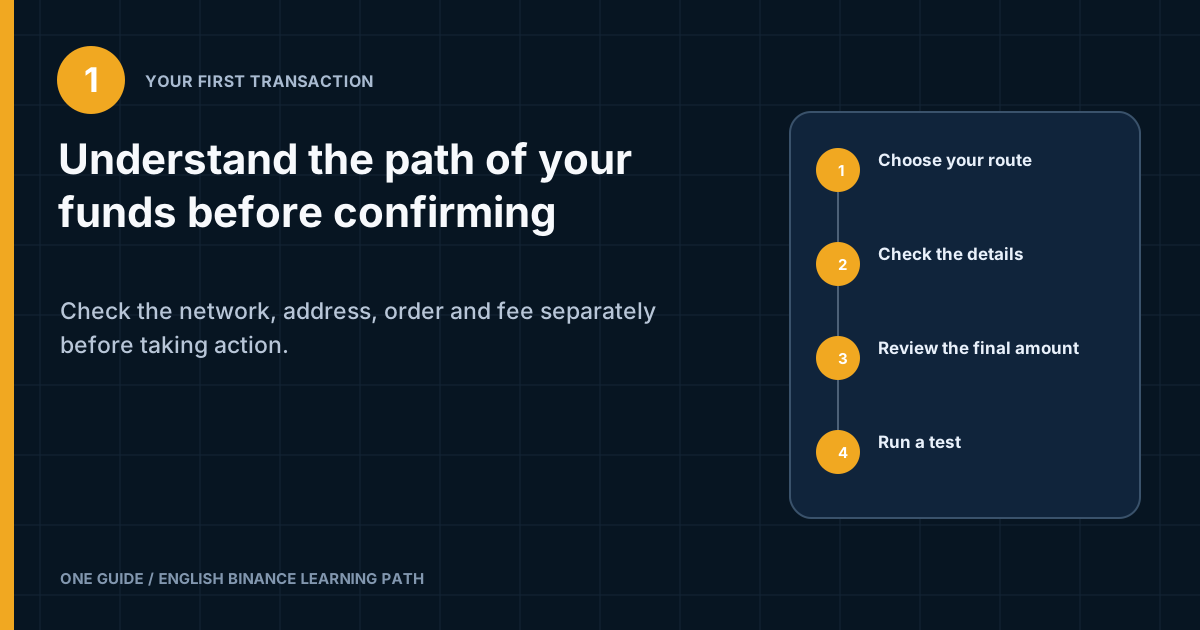
First, secure the account and check regional availability. Then choose one clear route: buy through an available payment channel or transfer a cryptoasset you already hold to a deposit address. Before confirming, separately check the asset, network, address, memo or tag, minimums, fee, rate, and final amount to be received. For the first flow, use a small test amount, wait for it to be credited, and only then study a Spot order.
Do not enable Margin, Futures, leverage, bots, or copy trading for the sake of 'learning.' These products are not needed to understand a basic balance, deposit, and Spot, but they can increase the size of a loss and the complexity of an error. [1] [2]
Neither Binance nor this guide guarantees that value will be preserved. Do not use borrowed funds or transfer an amount whose loss would harm essential expenses. If someone is guiding you step by step on a call and rushing you to confirm, end the session.
What a safe first-session map looks like
It is better to split the first session into separate tasks. Combining registration, identity verification, funding, and a trade into one fast flow creates cognitive overload. A user starts confirming windows out of habit and notices the network or fee too late. The route therefore moves from reversible to irreversible actions.
Start with actions that do not involve money: check your profile, security, devices, available products, and help materials. Then study the funding screens, but do not copy an address into the sending wallet. Separately, view the Spot interface with an empty balance and learn to distinguish a trading pair from an individual asset.
Then choose one funding route. If you have no cryptoassets outside the exchange, you do not need to create an external wallet solely for a first deposit. Consider an available official payment method and compare the final outcome. If a cryptoasset is already in your wallet, study how to deposit it over a compatible network. Do not move to P2P just because a stranger recommends it. Next, set a limit for the practice amount. This is not an amount for testing profitability. It should be small enough for your budget while exceeding the displayed minimum and covering fees. No universal number can be given because minimums, networks, assets, and payment methods differ.
The final stage is to check the outcome. You should be able to answer where the funds came from, which section they are in, what fee was charged, which order executed, and how to cancel an open order. If even one answer is unclear, do not increase the amount.
First, verify ownership and access. The account is open at the official address; the name, country, and contact details belong to you; and the required identity verification is complete. The second factor works, its backup is stored separately, and there are no unfamiliar entries in the device and session lists. Email or an external login through Google or Apple is secured independently of Binance.
Write down the stop signal before opening the form. Stop if there is an unknown fee, a network mismatch, a new device, time pressure, an unclear recipient, or you cannot explain the product in your own words. Under stress, it is easy to dismiss a warning sign as a minor obstacle; a rule set in advance prevents a banner or call from changing your decision.
- Confirm that the account is readySecurity, identity verification, and regional conditions are understood.
- Choose one route for the moneyA payment channel or a cryptocurrency deposit, but not both at once.
- Record the expected outcomeAmount, asset, network, fees, and destination balance.
- Run a small testWith minimums taken into account and without external pressure.
- Reconcile the historyBalance, status, actual costs, and open orders.
What must be ready before any transaction
Readiness in one paragraph
You signed in yourself on an official device, the second factor works, the profile matches your real details, the source of funds is lawful and understood, the required product is available, you have studied the route back out, and you set the amount in advance. If this description does not fit, address the gap first.
How to set a practice amount and keep it separate from an investment decision
A practice amount is for testing the process, not a price forecast. Its size cannot be taken from someone else's instructions because people have different income, essential expenses, budget currencies, platform minimums, and available networks. Start with an amount whose loss would not change your ability to pay for housing, food, medical care, taxes, and debts. [3]
First, set an upper limit in the fiat currency you use for ordinary expenses. A cryptocurrency quantity constantly changes in value, so a token amount is a poorer measure of the budget impact. Write down the limit before opening the form, and do not increase it because of a price movement, bonus, or message about a minimum economical amount.
Next, divide the overall limit between the cost of learning and a possible decision to hold the asset. Learning costs include the fee for a test deposit, a small Spot exchange, and, if needed, a test withdrawal. If these expenses are too large relative to the amount, do not try to offset them with a larger amount. Choose another route or postpone the action. Account for the risk of multiple currencies. For example, your budget may be in your national currency, the payment may be charged through another fiat currency, and a cryptoasset may appear on the exchange. The exchange rate changes between these points. Compare the amount charged and the actual quantity, not only the pair price on the chart.
Do not call an amount a test if losing it would be emotionally difficult. That turns a learning step into a wager and makes it harder to stop after an error. A real test allows you to pause after a fee, partial fill, or delay. If you feel the urge to 'win back the cost' immediately, the amount is already too significant for practice mode.
Minimums set a lower boundary but do not establish a recommended amount. The platform may require a minimum deposit, a minimum notional order value, or a minimum withdrawal. These thresholds are technical. They do not account for your income, experience, or objective. If a technical minimum exceeds your safe personal limit, do not perform the transaction.
Decide in advance how many attempts are acceptable. Requesting another code, repeating a transaction, or placing a new order can double the costs or create a duplicate. If an error occurs, check the history and status first, then contact support. Do not repeat an action simply because the result did not appear instantly. Keep the learning process separate from choosing an asset. This article can explain how to read a pair and a fee, but it cannot determine whether a particular token is worth buying. An investment decision requires a separate assessment of risk, liquidity, custody, taxation, and the possibility of total loss. A technically correct order does not make the asset suitable.
Also set a time limit. A first session should not continue until you are tired. If you cannot understand the network, fee, or form within the calm time you set aside, exit and continue the next day. A pause is not missed profit; unplanned haste increases the chance of an irreversible mistake.
Record before starting
My maximum fiat limit is an amount whose loss would not affect essential expenses. The objective of the session is to test one route. I do not increase the limit because of a fee, price change, or someone else's message. If a status is unclear, I check the history first instead of repeating the action.
How to choose between buying and a crypto deposit
A purchase through a payment channel and a cryptocurrency deposit are different transactions. In the first, fiat money is exchanged for a cryptoasset through a bank, card, transfer, provider, or available regional method. In the second, an existing cryptoasset moves from another wallet over a blockchain.
When buying, compare the final outcome, not only the trading fee. A provider may use its own exchange rate, include a fee, set a minimum amount, and impose refund rules. A bank may apply a separate fee or decline the transaction. Before confirming, check how much fiat will be charged and how much of the asset should arrive.
For a cryptocurrency deposit, the asset, network, address, and additional identifier are key. The sending side or network usually charges the fee, while Binance shows the crediting conditions. The asset's price may change while the transaction is being confirmed. You cannot assess this route solely by a 'low network fee.' P2P adds a counterparty and settlement rules. A beginner needs to study listing selection, payment status, appeals, and the ban on communicating off-platform as separate topics. Do not use P2P under the direction of someone who is also the recipient or promises an investment. For a first basic flow, choose a method you can explain without an intermediary.
Convert and Spot are not the same either. Convert usually shows a ready exchange quote without a traditional order book, while Spot lets you place a market or limit order. The actual cost may include different components. Compare the final amount and terms instead of assuming that one interface is always cheaper.
| Route | What happens | Key checks |
|---|---|---|
| Payment channel | Fiat is exchanged for a cryptoasset | Provider, exchange rate, fee, limits, availability |
| Crypto deposit | The asset travels over the selected network | Asset, network, address, memo, minimum |
| P2P | Settlement occurs with another user | Listing, payment details, confirmation, appeal |
| Convert | Exchange at the displayed quote | Time in force and final amount |
| Spot | The order is matched against the order book | Pair, type, price, quantity, fee |
Why Binance displays several balances
An exchange may separate funds by purpose. Names depend on the version and region, but sections for Spot, Funding, Margin, Futures, and other products are common. These are internal accounting areas within one account, not necessarily separate blockchain addresses.
An internal transfer between sections is not the same as an external withdrawal. With an internal movement, Binance changes the purpose assigned to funds within its system. A withdrawal creates a transaction to an external address and may incur a network fee. Before acting, look at the verb and the recipient, not only the word 'transfer.'
Funds for a Spot order must be in the balance available to it. If the asset appears in the overall overview but the form shows zero, check its section and status. It may be locked in an open order, held in another product, or still awaiting the required number of confirmations. Do not move funds into Margin or Futures for an ordinary purchase. Those sections involve borrowed funds, collateral, liquidation, and other risks. The word 'wallet' in the interface does not mean a self-custody wallet whose seed phrase you control.
Binance may also offer a Web3 Wallet. It differs from the exchange balance and may use self-custody or other key-storage mechanisms. Do not move funds there until you understand backups, the network, transaction signing, and interaction with decentralized applications.
A practical way to check is to review the history. Find separate records for the deposit, internal transfer, trade, and withdrawal. They should show different transaction types. This history explains the movement better than the overall balance, which changes with the price.
- Available balance
- The amount available for the selected action right now.
- Locked balance
- Funds committed to an open order or a product condition.
- Internal transfer
- A change of section within the account without sending to an external blockchain.
- Deposit
- An incoming transfer of an asset to deposit details issued by Binance.
- Withdrawal
- Sending an asset from Binance to an external address or through an available fiat method.
How a cryptocurrency deposit works
A deposit starts on the receiving side. In Binance, select Deposit, then Crypto, the required asset, and a supported network. Only then copy the issued address and additional identifier. Do not use an address from an old note or history without checking the current screen.
The same ticker can exist on several networks or refer to different contracts. The network on the sending side must match the deposit network. A similar name, identical logo, and matching start of an address do not prove compatibility.
Binance may show a minimum amount, required confirmations, a temporary suspension, and a warning about unsupported assets. These values change. Do not copy a number from the article. Read the current panel immediately before the transfer. On the sending side, select the same asset and network, paste the address, and add a memo or tag if required. After pasting, compare more than just the first and last characters. Malware can replace an address in the clipboard with a similar one. Compare the full address or use a QR code from the official screen, then check the text again.
Do not choose a network solely for the lowest fee. A cheap network is useless if the recipient does not support it. Also consider whether you can later withdraw the asset on the required network, how long confirmations take, and whether operations are suspended.
After you confirm the transfer, a transaction identifier usually appears. Store it separately from your password. A TxID lets you check the public status in a network explorer and provide details to official support. It does not grant control over the funds, but it may expose addresses and amounts, so do not publish it without a reason.
How to check the network, address, memo, and contract
The network is the transport for a token. For example, an asset with the same ticker may be transferred over different blockchains. The address identifies the recipient within the selected network. A memo, tag, or payment ID helps an exchange identify a specific user when one address serves several recipients or the protocol requires an additional field.
Check details in pairs. First compare the asset on the sending and receiving sides, then the network on both sides, then the address, and then the additional field. Do not switch back and forth between screens after copying, because changing the asset may reset the selected network.
If the interface shows a memo or tag, treat it as required unless official help says otherwise. Sending without it may result in an uncredited deposit and a recovery procedure. Recovery is not guaranteed, may take time, and may require a fee or evidence. The token contract matters when different projects use the same symbol or wrapped versions exist. Do not select an asset by a ticker from a message. Verify the official project, network, and contract through reliable sources. Binance shows the supported asset in the deposit interface, but the sending wallet must also hold that exact asset.
Address poisoning uses look-alike addresses in transaction history. An attacker creates an address with matching characters at the ends and sends a small transaction, hoping that the user will copy it later. Do not copy a recipient from the history. Obtain the address again from Binance or your verified address book and compare it in full.
A QR code reduces manual-entry errors but does not verify the source. Scan a code only from the official screen in your own account. After scanning, still check the network, amount, and address text. Do not photograph a deposit QR code to post in a group.
The four-match rule
A transfer is ready for testing only when the asset, network, address, and additional identifier all match. If one field is missing or unclear, do not try to offset the uncertainty with a small amount. Get an explanation first.
How to calculate and send a test amount
A test amount checks the details and your understanding of the process, but it does not guarantee the safety of the next transfer. Every new address, network, or asset requires a new check. The test must exceed the deposit minimum and leave enough funds for the network fee on the sending side.
First, record four numbers from the current screens: available balance, network fee, deposit minimum, and planned test amount. You can estimate the expected receipt as the amount sent minus the fee if the fee is deducted from that same amount. Some wallets add the fee on top, so check the final confirmation.
Do not use a token dust amount below the minimum. Such a transfer may appear on the blockchain but fail to be credited to the balance. Also, do not send the entire balance until you understand whether the wallet deducts the fee separately. After sending, do not immediately start a second transfer. Copy the TxID, open an official explorer for the selected network, and check the status. Then wait for crediting on Binance. The number of network confirmations depends on the asset and may change with risk and network conditions.
Compare the expected and actual quantity. A difference may result from the network fee, the token model, or the sending platform's terms. If the difference is unclear, do not continue. Find the record in the sender's withdrawal history and Binance's deposit history.
Use a local calculator for planning, but enter values from the current screen. It does not know the changing fee and does not connect to the account. Its role is arithmetic, not confirming the network or address.
Why a deposit appears on the blockchain but not yet in the balance
The blockchain and Binance's internal accounting are consecutive stages. First the transaction enters the network and receives confirmations; the platform then recognizes the deposit and credits it under its terms. A 'successful' status in the sender's wallet may mean only that it was broadcast to the network, not that the recipient has completed crediting it.
Check the TxID in an explorer for that exact network. Review the recipient's address, asset, amount, and status. Do not enter a seed phrase into an explorer website. An identifier or address is enough to view a public transaction.
Then open your Binance deposit history. Possible states include waiting for confirmations, processing, crediting, or manual review. Names change. If the network is congested, the time may increase. Do not trust anyone who offers to speed up confirmation in exchange for a transfer to another address. If the address and network are correct but no credit appears after the displayed condition is met, gather the TxID, asset, network, amount, and time. Contact official support through your account. Do not publish the full set in a public group. Support should not ask for your password or backup key.
If a memo was omitted, an unsupported network was selected, or a different token was sent, the outcome depends on whether recovery is technically possible. Do not send another large amount to 'unlock' it. Use the official recovery procedure and be prepared to prove ownership of the sending address or account.
How to read a Spot trading pair
Spot trading means directly exchanging one asset for another without borrowed leverage by default. A trading pair shows which asset is bought or sold and which asset expresses the price. In the notation A/B, the quantity of A is valued in units of B.
If you choose to buy A with B, the B balance decreases and A increases after execution. For a sale, the direction is reversed. Choosing the wrong side of the trade is a common mistake: a user sees the right tickers but clicks Sell instead of Buy. Say the action out loud before confirming it. Do not treat a stable ticker as equivalent to a dollar in a bank account. A stablecoin is a separate cryptoasset with its own issuer, network, risks, and price. Different stablecoins are not automatically interchangeable. Check which asset the pair requires and where it came from. The available balance beside the form relates to one side of the pair. If it is insufficient, do not enable automatic borrowing or Margin. Return to the balance and make an internal transfer if the funds are in another permitted section.
The price of the last trade is not necessarily the price at which your entire quantity will execute. The outcome depends on orders in the order book. For a liquid pair and a small quantity, the difference may be small, but it cannot be guaranteed.
Before placing an order, check the precision of the price and quantity. Trading rules may specify a tick size, step size, and minimum notional value. If the form rejects a number, do not add zeros at random. Read the message and the pair's current parameters.
What the order book, best price, spread, and slippage show
The order book contains open limit orders from buyers and sellers. The best bid is on the demand side; the best ask is on the supply side. The difference between them is called the spread. A narrow spread usually means closer prices, but it can widen quickly.
A market order takes available offers across several levels if the volume at the first is insufficient. The final average price may therefore differ from the last trade. This difference is called slippage. It depends on market depth, order size, and how quickly the price is moving.
A limit order adds or removes liquidity depending on its price and the current order book. If a buy limit is below the current asks, the order waits. If the limit crosses available asks, it may execute immediately as a taker, either fully or partially. A partial fill means that only part of the quantity found matching volume. The remainder stays open until it is filled or canceled, if the order conditions allow cancellation. Funds committed to the open portion may appear as locked.
A chart is a history of prices, not a promise of the future. A candlestick, indicator, or someone else's annotations do not guarantee direction. For a first session, use the chart only to understand scale and volatility, not to find an 'infallible' entry.
Do not confuse the spread with the trading fee. The spread reflects the difference between the two sides of the market. The fee is charged according to the account's rate. Slippage results from execution across price levels. All three components can affect the result at the same time.
| Concept | What it means | What to check |
|---|---|---|
| Last price | Price of the last completed trade | Do not treat as a guaranteed outcome |
| Spread | Difference between the best bid and ask prices | Assess the spread before ordering |
| Depth | Order volume at different levels | Whether there is enough volume near the price |
| Slippage | Difference between the expected and average price | Market order size and liquidity |
| Partial fill | Only part of the amount was filled | Remainder and open orders |
How market, limit, and conditional orders differ
Market order
A market order prioritizes speed over an exact price. It seeks to execute against available offers. The price on the button or chart does not guarantee the average price. In an illiquid market, even a small order may pass through several levels. [2]
Before a market order, review the estimated outcome, depth, and slippage warning. Do not use it simply because its form is shorter. If the outcome is unclear, stop and study the limit option.
Limit order
A limit order sets the maximum purchase price or minimum sale price. It controls the price but does not guarantee execution. The market may never reach the level, there may not be enough volume, or the order may fill only partially.
After placing the order, check the open-orders section. Do not assume that no change in the balance means an error. Funds may be locked in a pending order. If the plan changes, cancel the remainder and make sure the status updates.
Stop-limit and linked orders
A conditional order uses a trigger, after which another order is created. A stop-limit usually creates a limit order, so execution is not guaranteed after the trigger. A fast move may pass through the limit. OCO, OTO, and other linked structures add dependencies and require separate study.
For a first practice action, understanding market and limit mechanics is enough. Do not place a complex conditional order with real funds until you can describe the trigger, the order type created, its price, the remaining amount, and the cancellation condition.
Maker and taker
A maker adds liquidity to the order book; a taker removes existing liquidity. The order type alone does not always determine the role unambiguously. A limit order that crosses the market can be a taker. A market order usually removes liquidity. Check the current rate on the fee page and in your account.
What makes up the total cost
The trading fee is only one component. The full outcome may include a payment-provider fee, bank fee, quote difference, spread, slippage, trading fee, network fee on withdrawal, and tax consequences. Do not combine them into a single fixed percentage without checking how each works. [1]
The trading fee usually depends on the applicable rate, account level, market, maker or taker role, and possible payment method. Binance publishes a schedule, but your current screen and history are the source for the actual charge. Promotions and discounts may have time limits and conditions.
A network fee applies to a blockchain withdrawal, not an internal Spot trade. It may be quoted in units of the withdrawn asset and may change. The deposit side and sending wallet show different parts of the process. Do not subtract the network fee twice. The spread and slippage are not always shown as separate line items. You can estimate them by comparing the indicative market price, average execution price, and quantity. For Convert, compare the offered quote with an independent reference while accounting for its validity period.
An example without a market recommendation: if the hypothetical transaction amount is 1,000 units and the fee rate you enter is 0.1 percent, the base fee will be 1 unit. If the actual rate differs, the calculation changes. Enter the value from the current screen, not the example.
Evaluate the cost of entry and exit together. Even a small fee in each direction raises the break-even price. Add a network withdrawal if the plan involves an external wallet. Local calculators help with arithmetic but do not retrieve the rate automatically.
What to check on the final screen before confirming
The final screen is a checkpoint, not a formality. Read the direction, assets, network or trading pair, quantity, price or quote, fee, outcome, and recipient. If the interface uses an abbreviation you do not understand, close the confirmation without submitting.
For a blockchain transfer, compare the address and memo again after pasting. Check the network on both sides. See whether the fee is deducted from the amount or added on top. Make sure the recipient belongs to you or a known party, not someone claiming to be support.
For a Spot order, check Buy or Sell, the pair, order type, price, quantity, and estimated total. For a limit order, understand whether it will wait. For a market order, assess possible slippage. Do not confirm based on the button color; colors may differ. When buying through a provider, check the legal name of the payment recipient, amount charged, currency, rate, and asset quantity. Do not make a bank transfer to changed details sent in a chat outside the official form.
Check your own state. Fatigue, haste, trying to recover a loss, and fear of missing a move impair decisions. Pause, especially if someone is waiting on the line for your confirmation. The price may change, but safety should not depend on someone else's timer.
- ConfirmAll fields are clear, the details match, the outcome is acceptable, and you initiated the action.
- BackThe amount, network, pair, order type, or source of funds needs to be corrected.
- End the sessionThere is pressure, an unfamiliar recipient, remote access, a request for a code, or an unexplained fee.
What to check after the order executes
Open the order and trade history. A placed order and a completed trade are not the same thing. One order may be filled through several trades at different prices. The history should show the actual quantity, average price, fee, and time.
Check open orders. The unfilled portion of a limit order may continue waiting and locking part of the balance. If you intended only a test, cancel the unnecessary remainder. Make sure the status changes and the funds return to the available balance.
Compare the actual outcome with the record made before the transaction. Explain every difference: fee, slippage, partial fill, or rounding to the step size. If a difference cannot be explained, save the details and do not repeat the transaction. Do not judge the quality of the process solely by a price rise or fall after the trade. Even a flawed process can make a profit by chance, while a careful purchase may temporarily lose value. The criteria for a first session are clarity, control, and reproducibility.
Check notifications and devices after the transaction. An unexpected login or security change requires an immediate response. Do not follow a link in an alarming email. Open the app yourself and review the activity.
End the session if the device is shared. On a personal device, lock the screen. Do not leave a QR code, address, history, or document open. Delete temporary images containing personal data.
How to prepare a withdrawal and keep records
A withdrawal should not be your first encounter with a network. Before buying, determine where the asset should ultimately go: remain in the exchange balance, be sold through an available fiat route, or move to your own wallet. Each option has distinct risks and costs.
For an external wallet, study the custody model first. The seed phrase belongs to the wallet owner and must never be entered into Binance Support, a verification form, or a block explorer website. Losing the seed phrase may cost you access; disclosing it allows someone to take the funds.
Before withdrawing, match the asset, network, address, memo, and minimum again. Check the actual network fee and amount to be received. Use a test, especially for a new address. An address book and withdrawal whitelist are useful, but entries must be checked when added. For a fiat withdrawal, review the available methods, bank-account owner, currency, timing, and fees. Do not use another person's account without understanding the requirements. Returning funds by another route may trigger additional checks.
Keep a transaction log without secrets. Record the date, type, asset, amount, price, fee, network, TxID, and purpose. Store available platform reports in secure storage. Tax-record requirements depend on the country, so consult a local specialist when necessary.
Do not confuse profit shown on screen with a realized result after all costs and taxes. Changes in the quote, fees, and the fiat exchange rate affect the calculation. A local log helps reconstruct your cost basis but is not an automatic tax return.
Common first-session problems
There is a balance, but the form shows zero
Check the balance section, asset, open orders, and deposit status. Do not enable Margin to access funds. You may need an ordinary internal transfer to the Spot section.
The form rejects the quantity
Check the step size, precision, and minimum notional value for the pair. Do not blindly add zeros. Reducing the quantity can also cause it to fall below the minimum.
Deposit not credited
Check the TxID, network, address, memo, confirmations, and deposit history. Do not pay someone to speed it up. Gather the details and use the official recovery channel.
The limit order does not execute
Compare the limit with the current market, the queue, and available volume. Execution is not guaranteed. Check the open remainder and cancel it if the plan changes.
The final price differs
Review the individual fills, slippage, spread, and fee. A market order may execute across several levels. The last price before you clicked was not guaranteed.
Someone asks to see your screen
End the call. Do not show your code, address, balance, document, or security settings. If you have already granted remote access, disconnect the device from the network, then use a clean device to change passwords and review sessions.
You feel an urgent need to recover a loss after the transaction
Close the trading form. Do not increase the amount or move to leverage. A loss does not oblige you to make another trade. Return to the log and budget later.
How to contact support without reaching an impostor
Open support from the app or a website address you entered yourself. Do not search advertisements for a 'Binance phone number' or enter a chat through a link in a comment. Scammers create support pages and buy search ads to intercept users precisely when an error occurs.
Before contacting support, gather a safe set of facts: transaction type, asset, network, amount, time, status, TxID, and error text. Do not include your password, one-time code, authenticator backup key, seed phrase, or a full image of an identity document. A specific list helps support understand the problem without unnecessary disclosure.
Describe the sequence in your own words. State what you selected on the sending and receiving sides, what the history showed, and which checks you have completed. Do not conceal a network or memo error out of fear. Accurate information improves the chance of receiving the correct procedure, although recovery is still not guaranteed. Real support should not ask for a transfer to a 'safe address,' payment of tax before unlocking, remote control of your device, or a login code. It also does not ask you to import a wallet using a seed phrase. If the conversation moves to a private Telegram or WhatsApp chat or a video call with screen sharing, end the contact.
Check whether a parallel impostor appeared after you asked a public question. A message saying 'we are already handling your ticket' does not prove any connection to Binance. Do not state a case number in a public channel if it is used for identification. Return to the same official chat through your own account.
Keep the case number and a short log of replies. Do not create many identical tickets while the previous one is active unless support asks otherwise. Duplicates make the context harder to follow. If a document is required, upload it only through a secure form within the official process and check the address before submitting.
After resolving the issue, examine its root cause. If the problem came from the network, add a network check to your personal checklist. If the cause was a partial fill, always check open orders. Support should help both resolve the current transaction and prevent a recurrence.
Frequently asked questions about first steps on Binance
Do I need to buy USDT first?
There is no universally required asset. The currency you need depends on the available route and selected pair. A stablecoin also carries risks. Do not buy one simply because it often appears in examples.
Which is easier for a beginner, Convert or Spot?
Convert may show a simpler result, while Spot exposes the order book and order types. Compare the actual quote, fees, and availability. A simpler interface does not guarantee the lowest cost.
Which network should I choose for USDT?
Only the network supported by both sides for the specific asset. You cannot choose a network by the lowest fee without a match. Check the current screens at the sender and on Binance.
Is a market or limit order safer?
They control different risks. A market order prioritizes speed over price; a limit order controls the price but may not execute. Neither protects against a decline in the asset's value.
Why did the calculator's fee differ?
The calculator uses the rate you enter and does not connect to the account. Take the actual rate, order role, spread, network fee, and provider costs from the current screen and history.
Can a cryptocurrency transfer be canceled?
Once a confirmed transaction has been broadcast, there is usually no ordinary cancel button. Check the address, network, memo, and test before sending.
Should I keep funds on an exchange?
This is a decision about the custody model, not a registration step. Exchange custody depends on the platform; a self-custody wallet depends on keeping the keys safe. Study both models and do not transfer a large amount without practicing recovery.
Can I copy someone else's trade?
Someone else's price, budget, time horizon, and risk are unknown. This article explains the mechanics; it does not choose an asset. Do not copy a signal or hand over control of the account.
Where to check changing conditions
Pages opened on August 8, 2026. Rates, trading rules, minimums, networks, and availability may change. The number on the account screen before confirmation matters more than an example in the article.