Short answer
What should you do if Binance rejects identity verification?
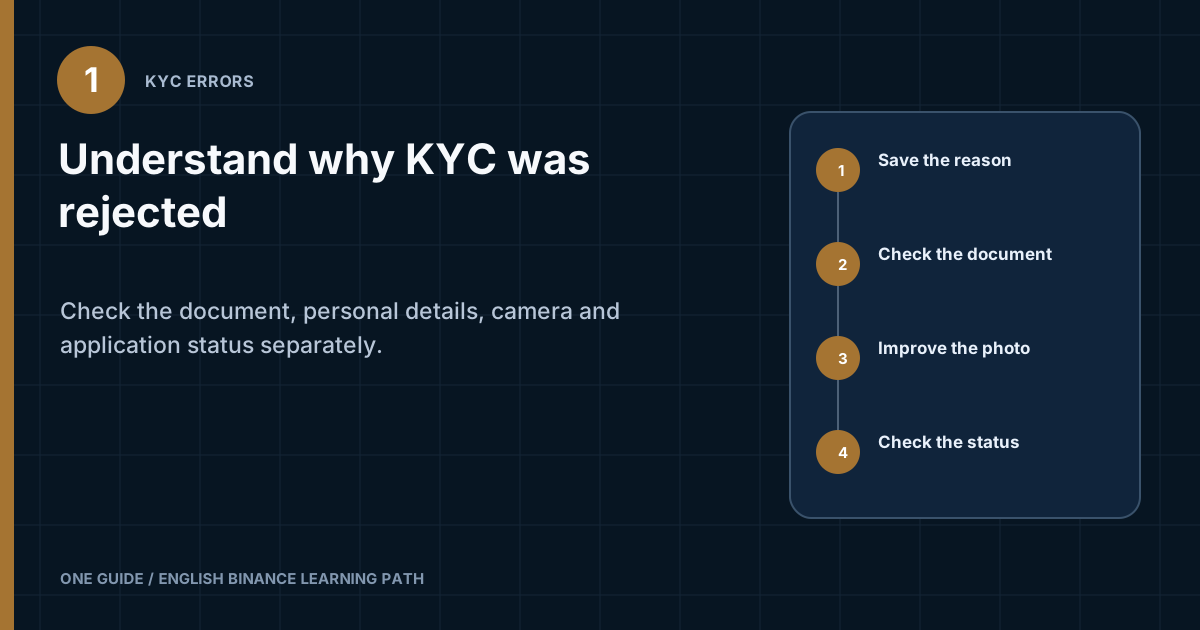
Save the exact rejection text and do not start another attempt blindly. First identify the category: the document is unsupported or expired, personal details do not match, the image is illegible, the face check was not completed, the application remains under review, or the system requests more information. Correct only the stated cause, use an original valid document and your own unedited images. If retrying is unavailable or the cause is not explained, open official support from the website or app and provide the case number, status, and safely prepared materials. [1] [2]
Using someone else's document, a fake image, remote control of the phone, or an account registered through an intermediary creates a risk of restrictions and lost funds. The account holder completes verification with their own data according to the requirements Binance shows for their region.
What should you save before another attempt?
Record the result while it is still visible on screen. You need the reason text, stage, date and time with time zone, selected document type, app or browser version, and application status. Take screenshots without the full document number or other unnecessary personal data.
Check the notification inside the account separately. An email may only report the result, while the current form shows whether you can repeat the stage, replace the document, or wait for review. Do not open KYC from a message link that demands an urgent sign-in. Open the official website or app yourself.
- Record the stageIdentify whether the rejection occurred while entering data, capturing the document, checking your face, verifying your address, or after submitting the full application.
- Save the wordingDo not paraphrase it as “not working.” One system message may point to the validity period, image quality, or a mismatch.
- Check current requirementsThe list of documents and additional information depends on the country, account type, and current rules.
- Correct one variableIf glare is the problem, change the lighting. If the name is the problem, compare the entry with the document. Changing the device, network, and document all at once makes diagnosis harder.
How do you identify the cause of a KYC rejection?
Separate technical errors, material quality, and data mismatches. They have different solutions and allow different amounts of self-diagnosis.
| Message or symptom | What to check | Safe action |
|---|---|---|
| Document not supported | Country of issue, document type, and the list in the current form | Select only a valid document offered by the system |
| Document has expired | Expiry date and validity requirements | Use a new original document |
| Image is illegible | Focus, glare, edges, resolution, and dirt on the camera | Capture again in diffused light without an editor |
| Details do not match | First name, last name, date of birth, country, and field order | Enter the details as required by the form and shown on the document |
| Could not verify the face | Lighting, lens, face position, and camera resolution | Repeat in a calm setting without filters or other people |
| Application under review | Current status and notifications inside the account | Do not submit a duplicate; wait for the result or a request |
| Retry unavailable | Restriction text and attempt history | Do not bypass the restriction; contact official support |
A rejection that looks similar may be related to a mandatory additional check, age, service restrictions, or the need to verify an address. Do not try to determine the legal reason from someone else's screenshot. The current form and support's response to your case are the primary sources.
Why does Binance reject the document?
The document must appear on the list the form offers specifically to you, be valid, and be fully legible. The popularity of a passport or driver's license in another country does not mean the same type is supported in your process.
Check the document itself
- The document has not expired and has not been canceled or damaged.
- The country of issue is selected correctly and has not been replaced with the country of residence.
- The document type matches the option in the form; for example, a passport was not uploaded as an identity card.
- All required sides were captured, the edges are in the frame, and the text and photograph are legible.
- There are no fingers covering data, glare, shadows, watermarks, or parts of another document in the image.
- The file did not pass through a messenger app that may have heavily compressed the image.
Do not enhance the image with a filter, increase sharpness with a generative editor, or combine two sides in one collage unless the form asks for it. Any editing may alter authenticity indicators or hide part of the document. It is safer to capture it again with the camera in the official process.
When is a different document needed?
A different original document makes sense only if the current form lets you select it and the original reason concerns the first document's type, validity, or physical condition. You do not need to replace a passport with another document because of glare; fix the photography first. If only one type is available and it is rejected without a clear reason, report that fact to support without creating a new account.
How do you correct a mismatch in your name or other details?
The profile details must describe the same person as the document. Do not translate your name from memory, add a nickname, or change your date of birth to get through the form. Check which fields the system fills automatically after recognition and which fields it lets you edit.
| Field | Common cause of a discrepancy | What to compare |
|---|---|---|
| First and last name | Different order, abbreviation, or previous surname | Field order and current document |
| Latin-script spelling | Your own transliteration | Machine-readable zone or official spelling, if the form requires it |
| Date of birth | Day and month are reversed | Format shown in the interface |
| Country of residence | Country of citizenship selected | Meaning of the field and factual details |
| Address | Abbreviation or details do not match the evidence | Required format and accepted proof of address |
If your name changed legally, do not conceal the difference. Check whether the process offers a document that proves the change, or ask support which route to follow. Do not post certificates or complete documents on a forum. Submit them only through a secure official channel when the platform requests them.
How do you retake a document photo without quality problems?
The purpose of the capture is to reproduce the original accurately, not to create an attractive photograph. Clean the lens, place the document on a plain contrasting surface, and use even diffused light. Turn off camera filters and modes that change the face or text.
- Give the app camera permission only through the system prompt.
- Hold the phone parallel to the document so the lines do not recede in perspective.
- Move the light source if the laminate reflects a lamp or window.
- Place all four edges inside the frame without cropping the number or machine-readable zone.
- Wait for the camera to focus, then check the small print before submitting.
- If the browser camera is unstable, use the official mobile process when available instead of an unknown upload service.
A screenshot of a digital copy, a photograph of a photocopy, and a cloud file may not meet a request for an original document. Follow the wording on the screen. If the platform allows a file upload, authenticity and legibility requirements still apply.
Why does the face check fail?
A face check matches the live applicant to the document photograph and may require a prompted movement. Place the camera at eye level and choose a neutral background with soft frontal light. Remove accessories that cover your face where possible and where this does not conflict with medical or religious circumstances.
- Only the document holder should be in the frame.
- Do not use a screen recording, prerecorded video, mask, or filter.
- Do not hand your phone to another person to perform the movements.
- Check camera permission and close apps that may be using the camera at the same time.
- Follow the prompts in their current order without speeding up the movement before the command appears.
If your appearance has changed substantially since the document was issued, the system may require an additional check. Do not try to make the image match with an editor. Save the message and request an official verification option.
How do you distinguish a technical failure from a data rejection?
A technical failure normally interrupts the upload, camera, or transition between stages, while a substantive rejection appears after the material is processed. If the page froze before submission, do not assume the document was rejected. Check whether the application was saved and what status appears after you sign in again.
- Update the official app through the store opened from a verified download page, or use a supported browser.
- Allow camera access for the current app, but do not give access to third-party remote-control software.
- Close other camera apps and free enough device memory to process the image.
- Use a stable personal network. Do not complete KYC over public Wi-Fi or change your VPN or country in the middle of an application.
- For an upload error, save the text, file size, and format if visible, then compare them with the current form's requirements.
Clearing app data or reinstalling may remove local context and unfinished materials. First check the status in your account and make sure you know the password and have working 2FA. If the same stage fails on two trusted devices, give support the system version, time, and exact text instead of retrying endlessly.
Do not upload the document to a third-party website to change its format. That service receives sensitive data, and conversion may reduce quality or remove signs of the original. If the form does not accept the format, it is safer to take a new photo with its built-in camera or ask support which alternative is accepted.
What does “under review” mean?
This status is not a rejection and does not require immediate resubmission. Verification may move to additional review. Monitor the status inside the account and official notifications. If the system requests new material, read exactly which document or image is needed before uploading anything.
Do not promise yourself or anyone else an exact turnaround time based on an old article. Speed depends on the check type, material quality, region, and whether manual review is needed. Follow any timeframe or response channel shown on the current screen. After that period ends, you can contact support with the application number and submission date.
The email says the check succeeded, but the status did not change
First confirm that the email concerns your account and current application. Then sign out only if it is safe, update the official app or page, and check the status again. Do not enter credentials through a button in the email. If the discrepancy remains, give support the notification time and a status screenshot with personal data hidden.
Which actions make the situation worse?
Bypassing the check creates a new risk and does not correct the original cause. Do not create a second account for a different country, use a VPN to imitate residence, borrow a document, or buy an account with completed KYC. Service availability is determined by platform rules and applicable restrictions, not the selected IP address.
- Do not submit dozens of identical applications.
- Do not edit the photograph after a quality rejection.
- Do not pay an “agent” who promises manual approval.
- Do not install remote-access software to complete the face check.
- Do not send your document through Telegram, comments, or direct messages.
- Do not guess the details if you do not understand a field's purpose.
If Binance says the service is unavailable in your jurisdiction, this site does not offer a workaround. Stop the process, review the terms, and, if necessary, obtain independent legal advice for your place of residence.
How do you contact support safely about KYC?
Open support from an official address you typed yourself or from the app. Describe the stage, exact error message, document type, attempt date, and checks already performed. Ask which material is accepted for your region and whether you can repeat the specific stage.
A complete document and biometric data are sensitive. Do not attach them in advance unless the official process requests an upload in a secure window. Before sending an interface screenshot, hide the document number, address, QR codes, and verification values. Save the case number, but do not publish it with personal data.
A request to pay for “KYC activation,” send cryptocurrency to a verification address, disclose a password, or show a 2FA code is a sign of fraud. End the contact and return to the official support center.
Frequently asked questions
How many times can you retry verification?
Do not use a number from someone else's guide. The limit and availability of another attempt appear on the current screen. If retries are blocked, do not change the account or region to bypass the block. Save the message and contact support.
Can you complete KYC with a copy of your passport?
Use the type and format of material requested by the official process. If it requires the original and a camera capture, a copy or screenshot is not a substitute. For a special situation, ask support which alternative is acceptable.
Why did verification pass before, but new information is now required?
The platform may update requirements, recheck details, or request additional documents. Check the reason and required actions in your account. Do not conclude that the account is blocked based only on an email without checking the status.
Can you cover the document number in the photograph?
If the form asks for the complete document, covering a field yourself makes the image incomplete. Submit the material only through the official secure process. Conversely, it is best not to post the document at all in a forum request or ordinary screenshot.
Should you create a new account after a rejection?
No. Rejection of one attempt is not an instruction to create another profile. Correct the identified cause in the current account or follow the official support response. A duplicate may make identity matching more difficult.
Official sources to check
Sources checked on August 8, 2026. Always take the list of accepted documents and personal requirements from the current form in your account.